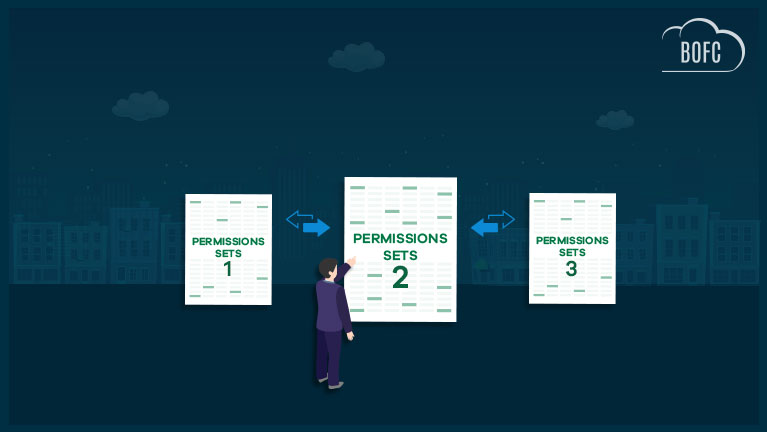
Salesforce is widely used to manage Sales Cloud and Service Cloud operations, with Permission Sets playing a critical role in defining access for different types of users. In mature Salesforce environments, it is common to have a large number of Permission Sets to support role-based access, security requirements, and business processes.
As organizations grow, they often need to set up a new Salesforce org that closely replicates an existing environment. This may be required for business expansion, regional deployments, mergers, testing environments, or long-term scalability. Replicating a Salesforce org involves cloning multiple components, including:
Key Salesforce Components to Replicate
1) Clone Custom Objects and Related Metadata, such as:
-
Custom Fields
-
Validation Rules
-
Page Layouts
-
Record Types
Refer to this guide to perform this action in a few clicks:
https://bofc.io/clone-operations/how-to-clone-object-in-salesforce-in-few-clicks
2) Clone Reports, including:
-
Custom Report Types
-
Report Folders
Refer to this guide to perform this action in a few clicks:
https://bofc.io/clone-operations/how-to-clone-reports-in-salesforce-in-few-clicks
3) Clone Flows in Bulk
Refer to this guide to perform this action in a few clicks:
https://bofc.io/process-builder-flow-operations/how-to-clone-flows-in-bulk-in-salesforce-in-few-clicks
4) Clone Permission Sets
Cloning Permission Sets is one of the most critical—and challenging—parts of Salesforce org replication. This blog focuses specifically on how to clone Permission Sets in Salesforce efficiently, without relying on time-consuming manual processes.
The Challenge with Manual Permission Set Cloning
When Salesforce orgs are not directly connected, administrators are often required to manually recreate Permission Sets in the target org. This process involves opening each Permission Set individually and configuring object permissions, field-level security, record type access, and layout assignments.
For Permission Sets with extensive configurations, this approach:
-
Requires significant manual effort
-
Increases the risk of configuration errors
-
Slows down org setup and migration timelines
As the number of Permission Sets increases, the need for a scalable way to clone Permission Sets in Salesforce becomes essential.
Bulk Cloning Permission Sets Using BOFC
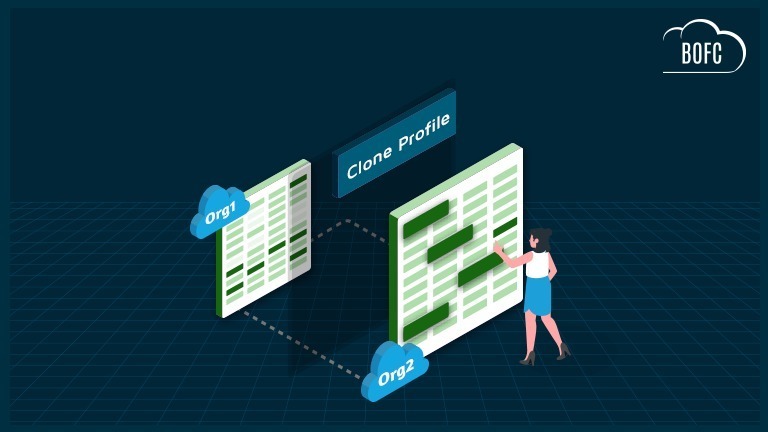
With the Salesforce AppExchange Bulk Object Field Creator (BOFC) app, administrators can bulk clone multiple Permission Sets either within the same Salesforce org or from an external, non-linked Salesforce org—all in just a few clicks.
Why Choose BOFC to Clone Permission Sets ?
-
Clone multiple Permission Sets in a single operation
-
Option to override existing Permission Sets or create only those that do not exist
-
Clone Permission Sets from the same org or an external Salesforce org
-
Simple, point-and-click user interface with no coding required
To avail this feature, kindly make sure you have installed the latest version of the application. You can upgrade your package using either of two ways:
- In Salesforce, go to “BOFC Home > Settings > App Version > Click to Upgrade” — or —
- Refer the below button to quickly upgrade your package to the latest version and explore its complete benefits:
Stay up to date with the latest in BOFC - Latest features, offers, news, tips and more
Few Simple Steps to Bulk Clone Permission Sets in Salesforce
1. Open the BOFC Home > Click “Bulk Clone Permission Sets”
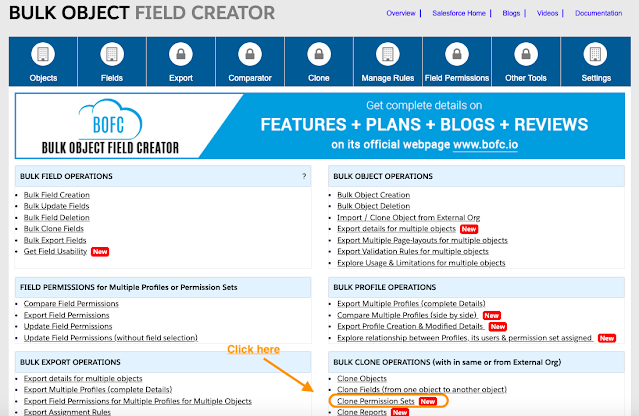
2. It will open below screen for BOFC Clone Permission Sets

User can clone the Permission Sets from different type of source orgs:
- Can clone from “Current Salesforce Org” in which BOFC is installed
- Can clone from “External Salesforce org” (Salesforce org which are linked / non-linked to current org in which BOFC is installed)
3. Select the “Source Org” from where you want to clone the permission sets

4. Click “Show Permission Set(s)” button and it will start the process to retrieve the “All Permission Sets” in the selected Org.

5. Select (single or multiple) permission sets which needs to be cloned. Once ready, click on “Clone here to Initiate Clone” button to initiate the process.
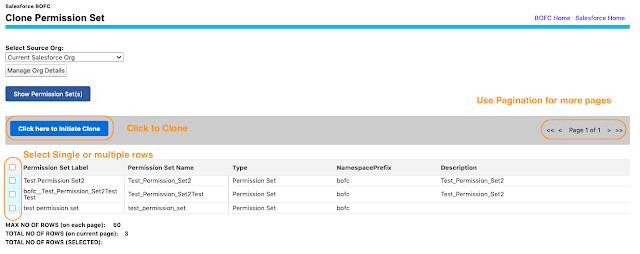
Once this blue button is clicked, it will open a popup with some instruction in it. Just follow the instructions and you are done.
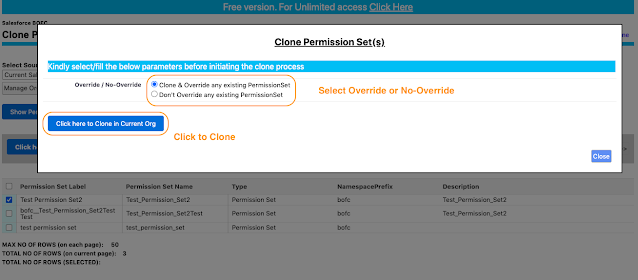
Override / No-Override = In case the permission sets with the same name already exists:
- Clone & Override = In this case, the clone process will override the existing permission Sets which the same name.
- Don’t Override = In this case, the clone process will only create the permission sets which doesn’t exists in the current org.
6. Once the “Click here to Clone in Current Org” buttons is clicked, it will update the status against each row for all the permission sets.
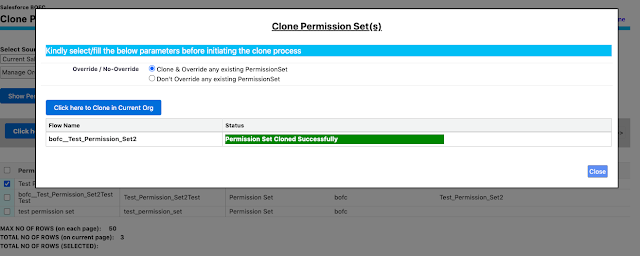
Green means – Permission Set Cloned Successfully
Red means – Permission Set get error out because of the some reason.
******************************************************************************
Have you started using BOFC yet? Thousands of BOFC users have been able to save time & boost productivity using our Salesforce Metadata app. Click here to install the latest version of BOFC application in your Salesforce instance & explore its complete benefits for you.
For any queries or suggestions, you can contact us at https://www.bofc.io/#contact or mail us: support@bofcapp.io. Our BOFC Expert will help you get the best out of it.