How to Clone Custom Labels in Salesforce (With Translations)?
Published: Jun 02 2025
Last Updated: May 05 2026
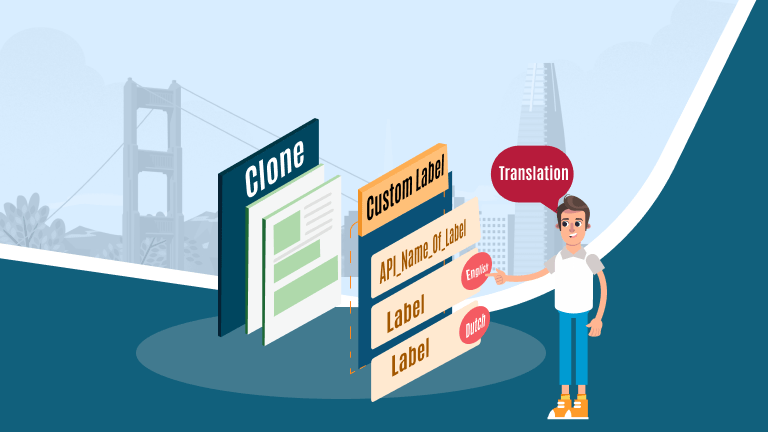
Organizations using Salesforce often rely on Custom Labels to support multiple languages across regions, products, and user interfaces.
But when it comes to cloning custom labels with translations, the process is far from efficient.
There is no native bulk cloning capability for Custom Labels and their translations. As a result, Salesforce admins must manually recreate each label and translation individually.
In large environments, this leads to:
- Significant time investment
- Increased risk of manual errors
- Slower deployment cycles
- Inconsistent translations
This is especially challenging for global teams managing multilingual Salesforce implementations.
A Smarter Way to Clone Custom Labels in salesforce with Translations
Instead of handling labels one at a time, administrators can automate the process using Bulk Object Field Creator (BOFC).
This solution enables teams to clone multiple Custom Labels along with their translations in just a few clicks—whether within the same org or across different Salesforce environments.
By automating repetitive tasks, admins can:
- Clone Multiple Custom Labels
- Include translations automatically
- Reduce manual effort and errors
- Maintain consistency across languages
- Speed up deployments
Why This Matters for Salesforce Admins?
When managing multilingual applications, even small updates to Custom Labels can become time-consuming if handled manually. Automation helps teams work faster, maintain accuracy, and focus on higher-value tasks instead of repetitive configuration work.
For organizations supporting multiple languages or managing large sets of labels, having a reliable way to clone labels with translations can significantly improve efficiency and scalability.
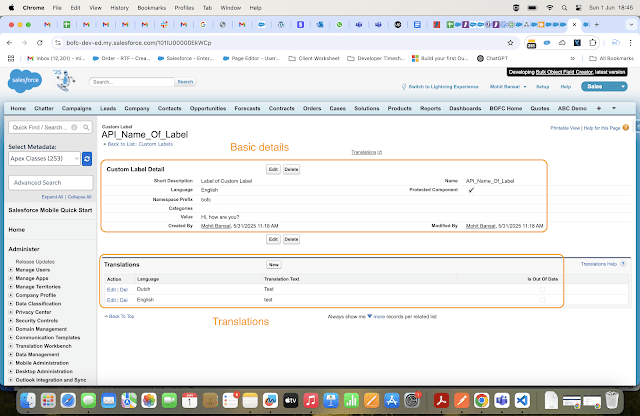
Guide to Clone custom labels with translation in salesforce:
-
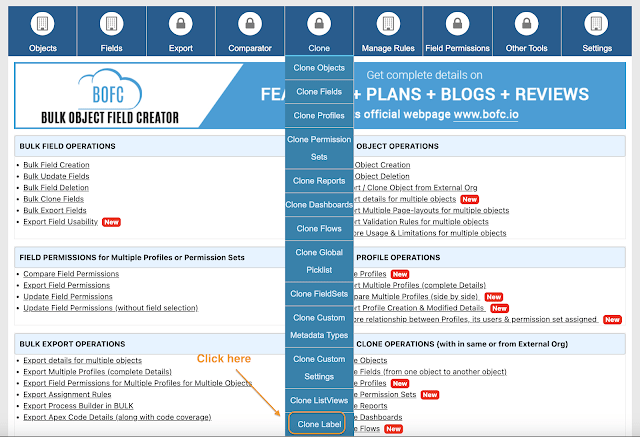
Open the BOFC Home > Click “Clone Labels”

-
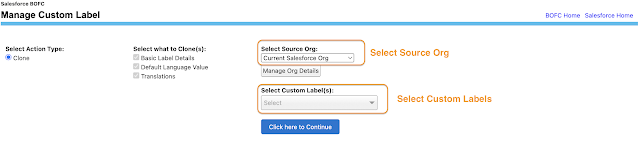
It will open below screen to Clone Custom Labels. Select the type of operation as “Clone” option in radio button.
-
Select the source org from which Custom Labels needs to be cloned. In case source org is not available in drop down, kindly click on “Manage Org Details” to add new source org.
Once source org is selected, it will display the list of Custom Labels.
-
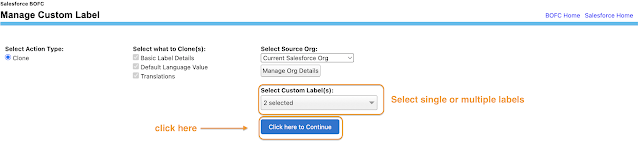
Select the single or multiple Custom Labels. Once ready, click on “Click here to continue” button to initiate the process
-
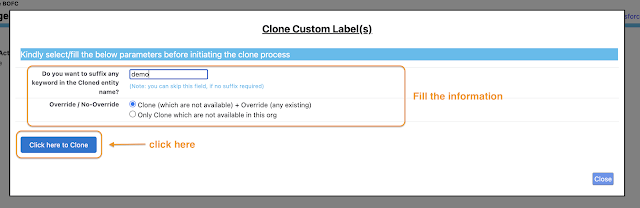
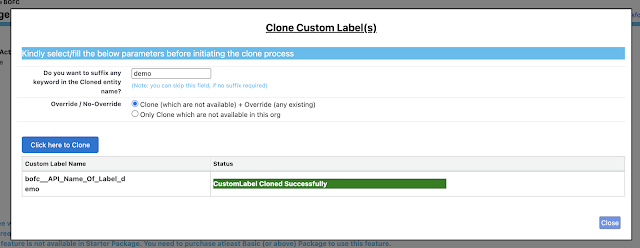
Once the “Click here to continue” buttons is clicked, it will open a popup with some fields to fill. Once the information is filled, click on “Click here to clone” button.
and here is the result:
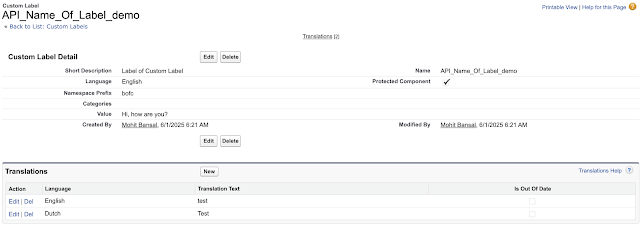
Here is the new custom label cloned with the keyword “demo” added in the name of the custom label:

🎯 Conclusion
Salesforce may limit bulk Cloning Custom Labels with translations, but BOFC removes those limits. It saves time, reduces errors, and empowers admins to do more — faster.
🧩 Start simplifying your Salesforce metadata management today with BOFC.