
One Workspace for Developer tasks
The centralized Salesforce Developer Console for metadata analysis, code validation, testing, and real-time org monitoring. Compare metadata, run Apex tests, review code coverage, manage async jobs, and streamline your Salesforce development workflow from a single cloud-based workspace.





Installs
Trusted by Salesforce admins, developers and consultants worldwide.
AppExchange Rating
Over 3,000 verified customer reviews from Salesforce Rangers and MVPs.
Countries Worldwide
Helping Salesforce teams work faster across the globe.
Faster Deliveries
Accelerate multi-sandbox rollouts and eliminate tedious manual configuration.
Everything Salesforce Developer Needs in One Console

Compare
Metadata
Migrate or Sync
Metadata

Advanced
Metadata Searcher

Review Code
Coverage

Run Unit
Test

Developer
Sticky Notes

Manage Async
Jobs
New
MacBook Pro
Now with M5, M5 Pro and M5 Max.

New
MacBook Pro
Now with M5, M5 Pro and M5 Max.
New
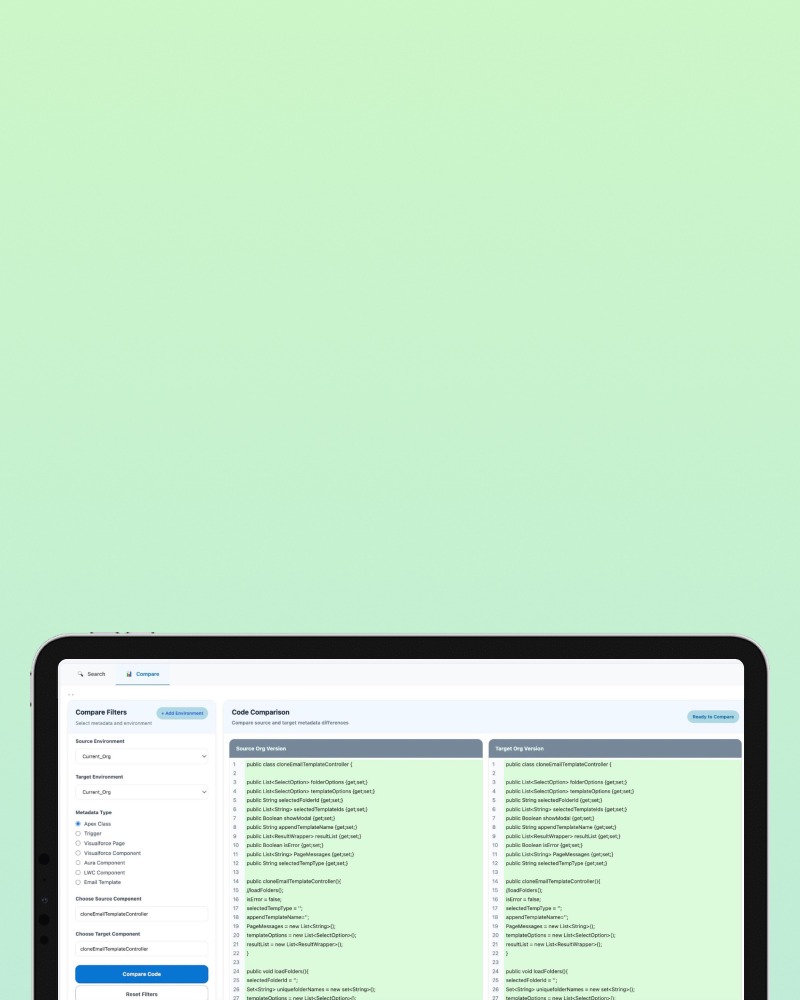
Compare Salesforce Metadata in Seconds
Quickly identity differences between environments

New
MacBook Pro
Now with M5, M5 Pro and M5 Max.
New
MacBook Pro
Now with M5, M5 Pro and M5 Max.
New
Compare Salesforce Metadata in Seconds
Quickly identity differences between environments
Everything Salesforce Developer Needs in One Console
Manage metadata comparisons, Apex testing, async job monitoring, and more from a single cloud-based Salesforce Developer Console.
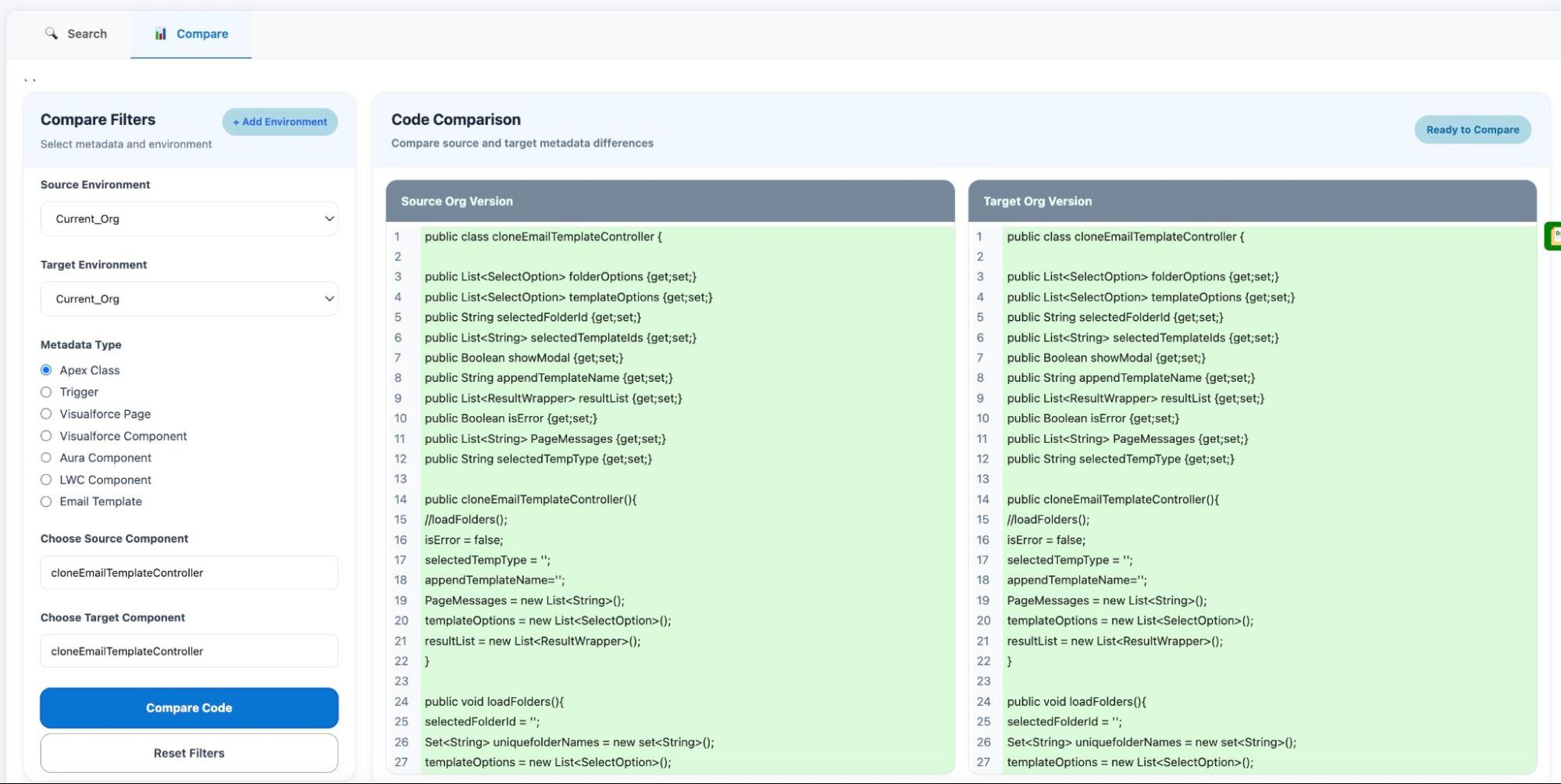
Compare Salesforce Metadata in Seconds
Quickly identify differences between environments before deployments and releases.
Faster Validation
Reduce deployment risk
Better visibility into changes
Execute Apex Tests without leaving the console
Run tests, review failures, and validate deployments faster.
Real-time test execution
Detailed test results and logs
Deployment readiness insights
Monitor Salesforce background process
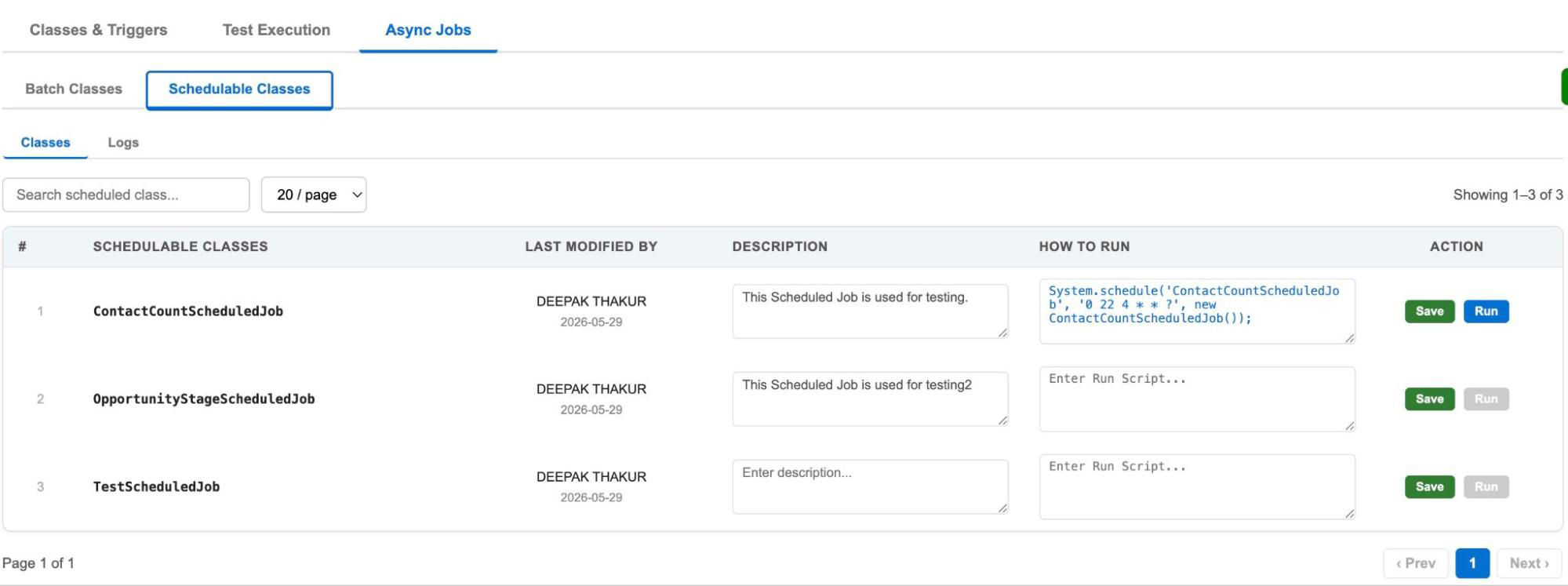
Track Batch Apex, Queueables, scheduled jobs, and future methods from one dashboard.
Real-time job monitoring
Faster issue detection
Performance and status visibility
Native to Salesforce. Nothing Leaves Your Org.
Dev Console brings these operations into one workspace that runs natively inside your Salesforce org. Nothing leaves your org, and there’s no second tool to open.
100% Native to Salesforce
Runs directly as a certified managed package within your Lightning Experience or Classic org. Inherits your exact org trust and infrastructure with zero external middleware.
Zero External Data Transfer
Strict org boundary security. No source code, metadata definitions, or customer records ever cross into third-party cloud servers. Your intellectual property stays within your boundary.
Seamless Lightning Integration
Engineered with SLDS fidelity. Seamlessly accessible from App Launcher with native tabs, standard role-based sharing permissions, and zero third-party software installations.
Dev Console Features for Daily Salesforce Development
Purpose-built utilities designed for daily Salesforce engineering workflows.
Batch Apex Manager
View and manage all your Batch Apex classes in one place, without digging through Setup.
Schedulable Apex Manager
See and control every scheduled Apex class from a single view.
Test Class Generator
Generate Apex test classes automatically instead of writing each one by hand.
Code Coverage Report
Check code coverage across your classes without switching screens.
Multi-Run Execution
Execute multiple Apex runs together and keep your workflow moving.
Cross-Org Code Compare
Compare code across multiple Salesforce orgs side by side, so you know exactly what differs.
Notes, Tasks and To-Dos
Keep your development notes and tasks next to the code, inside Salesforce.
Code Search
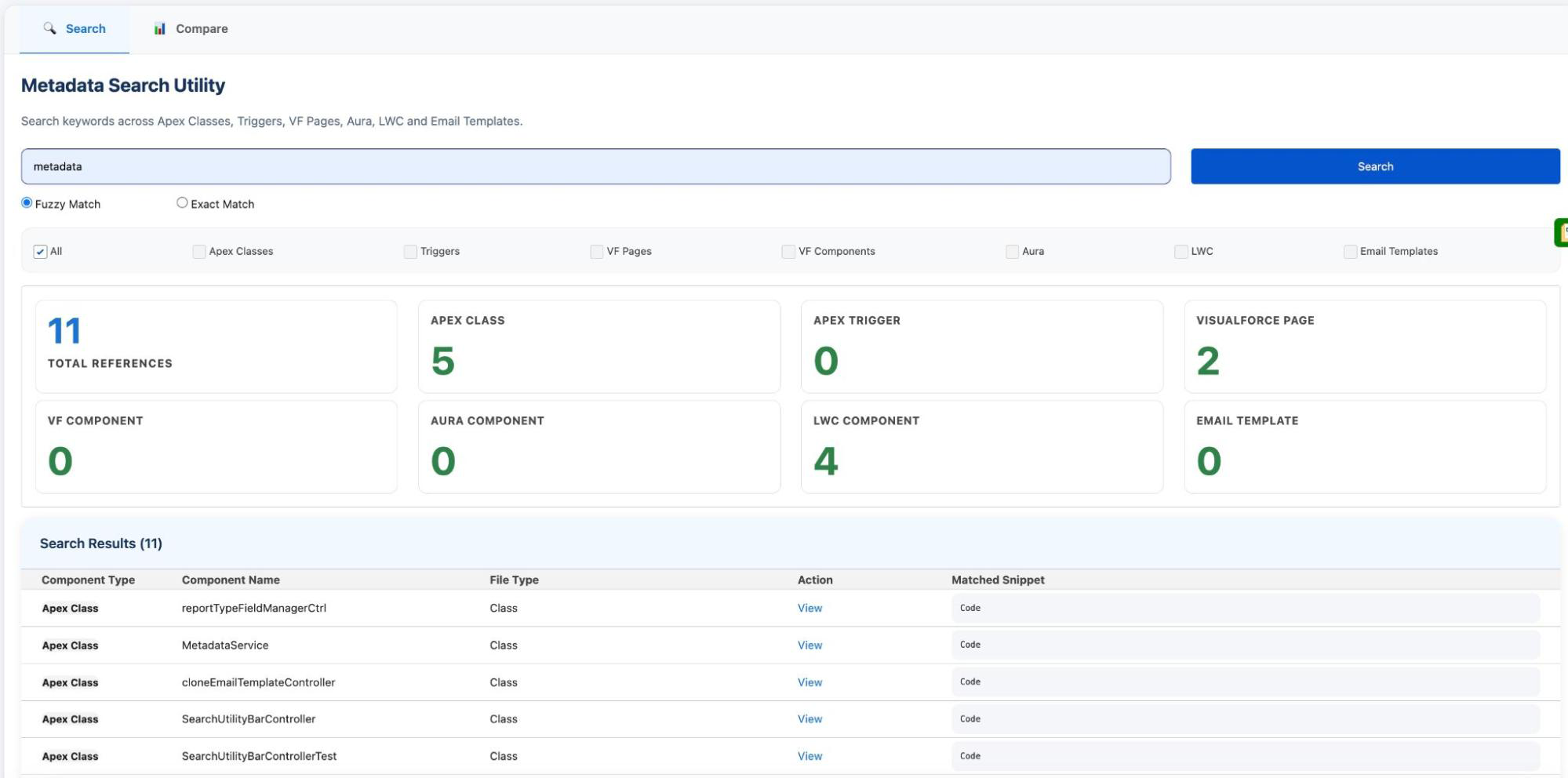
Search text and keywords across your Salesforce code and find what you need quickly.
Why Salesforce developers love
BOFC DevConsole

Save Time
Automate and streamline repetitive development and validation tasks.

Improve Quality
Run tests, review coverage and ensure high-quality deployments.

Increase Visibility
Get complete visibility into metadata, code quality, and org activities.

Work Smarter
Everything you need in one console to focus on what matters most-coding.



Salesforce Development Shouldn't require multiple Tools

Metadata Management
The centralized Salesforce Developer Console for metadata analysis, code validation, testing, and real-time org monitoring.

Testing & Validation
Execute Apex tests and review code coverage from one centralized workspace.

Monitoring & Troubleshooting
Track asynchronous jobs and investigate issues in real time from a single console.
Built for Developers. Trusted by
Salesforce Teams Worldwide
Installs
Trusted by Salesforce admins, developers and consultants worldwide.
AppExchange Rating
Over 3,000 verified customer reviews from Salesforce Rangers and MVPs.
Countries Worldwide
Helping Salesforce teams work faster across the globe.
Faster Deliveries
Accelerate multi-sandbox rollouts and eliminate tedious manual configuration.
Great Product - Tremendous Time Saver for Salesforce Admins
For years every time I have needed to add fields on a salesforce object, I have been entering them manually which is extremely time consuming. BOFC saves me hours upon hours doing this manually. The product is intuitive and runs very smoothly with Salesforce. I have never seen a product like BOFC before. For all I know there aren’t even any competitors out there. There is nothing that I dislike about the product, it is priced extremely fair and provides tremendous value.
Making Salesforce Management Easier
BOFC is a very useful tool that simplifies many tasks in Salesforce, especially when working with bulk metadata operations. It makes certain processes much easier and faster to handle.
Their support team is also helpful, they assisted in resolving an issue I encountered promptly.
Useful App
I’ve been using the App for about two years now. The App is extremely useful and comes with extremely useful features. An Admin App must. Although at times, the turnaround times for possible issues may be slow, the developer is quick to work with users on an on-on-one bases. Thank you so much!
Stop Switching Tools. Start
Shipping Faster
Compare metadata, run apex tests, check code coverage and monitor async jobs from
one console, right inside your Salesforce org.
Frequently Asked Question
Dev Console is a workspace inside Salesforce for everyday developer operations. You can compare and sync metadata, search code, run tests, review code coverage, manage Batch and Schedulable Apex jobs, and keep notes and tasks in one place.
No. The page states that source code, metadata definitions, and customer records are not sent to third-party cloud servers when you use Dev Console.
Yes. Dev Console shows the differences between environments before a deployment or release, so you can check changes and reduce deployment risk. You can also sync metadata between orgs.
Yes. You can run Apex tests without leaving the console, review failures and logs, and check code coverage. A test class generator helps you start tests for classes that don’t have any.
Yes. One dashboard shows Batch Apex, Queueables, scheduled jobs, and future methods with their status. The Batch Apex Manager and Schedulable Apex Manager let you manage them from there.
Dev Console requires BOFC 8.3490 or later. Update BOFC if you don’t see it in your org.