
Customer Challenge
A Salesforce Admin from a leading organization approached us with a practical challenge that many admins face daily:
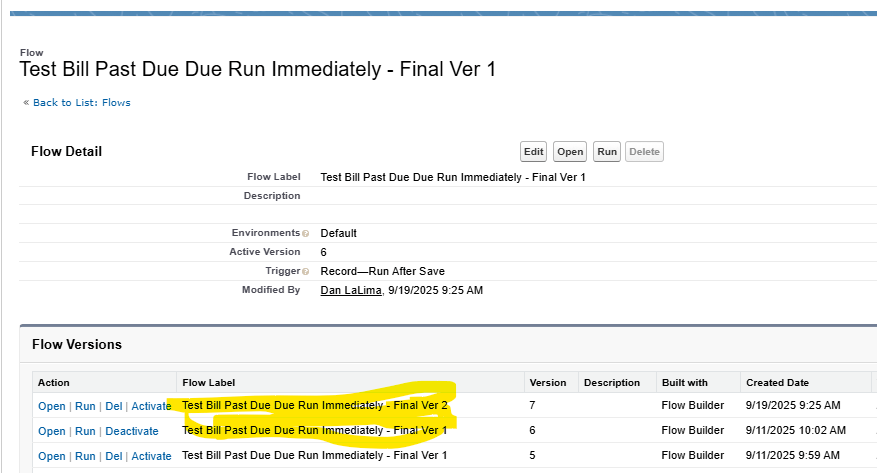
“Ideally, I wanted to document all the flows that have my name as the last modified, but for now, I’m working on ‘Test Bill Past Due Due Run Immediately – Final Ver 1’ and I have a Ver 2 that I am about to.”
The admin was struggling to track changes, maintain documentation, and compare different versions of Salesforce Flows — especially when multiple automation updates were happening across environments.
Manually documenting each element in a flow — screens, variables, formulas, decisions, and actions — was time-consuming and error-prone. With multiple versions of the same flow, it became even harder to audit and share with other team members or business stakeholders.
The Solution: BOFC’s “Export and Document Salesforce Flows” Feature
Our team listened closely and developed a new BOFC feature designed precisely for this use case:
➡️ Export and Document Salesforce Flows in a Few Clicks
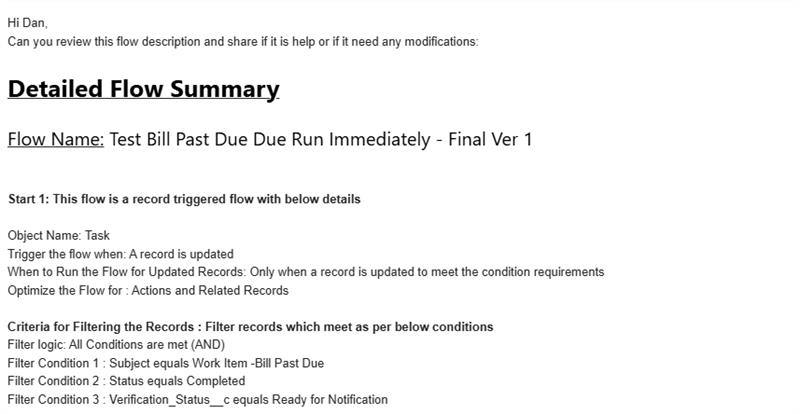
With this capability, Salesforce Admins and Developers can now:
- Export multiple Flows at once, including all metadata and descriptions.
- Generate a detailed documentation file listing all Flow elements like Variables, Decisions, Screen Elements, and Record Updates.
- Filter flows by “Last Modified By” to document only those maintained by a specific user.
- Compare different versions (e.g., Ver 1 vs Ver 2) for audits or reviews.
- Maintain a clear, shareable, and version-controlled record of every Flow for compliance and collaboration.
Impact
After implementing this feature, the customer was able to:
- Document and export all flows managed by them in just a few minutes.
- Save hours of manual effort previously spent on capturing screenshots or rewriting flow logic.
- Build a clean documentation trail that supports internal reviews and future development.
- Improve team transparency and productivity through easily accessible flow records.
Customer Feedback
“This is exactly what I needed! Now I can quickly document all my flows and easily keep track of versions. It’s a huge time-saver for me and my team.”
Conclusion
This customer story highlights how real-world feedback drives innovation at BOFC. The “Export and Document Salesforce Flows” feature empowers admins to focus more on automation design and less on documentation — making Salesforce management faster, cleaner, and smarter.