Salesforce Admins and Developers often need to Export Permission Sets Salesforce for security audits, access reviews, compliance checks, or documentation. However, Salesforce’s standard process makes this task manual and time-consuming, requiring admins to open each Permission Set individually and copy details one by one.
When working with multiple Permission Sets across large Salesforce orgs, this approach leads to increased effort, higher chances of error, and unnecessary delays.
Challenges with Salesforce Standard Permission Set Export
Using native Salesforce tools, Admins face several limitations when exporting Permission Sets:
-
No option to export multiple Permission Sets at once
-
Requires repetitive clicking and manual data copying
-
Difficult to consolidate access details into a single report
-
Not scalable for enterprise or multi-team orgs
These challenges make Permission Set audits and reviews inefficient—especially in growing Salesforce environments.
Export Permission Sets Salesforce Using BOFC
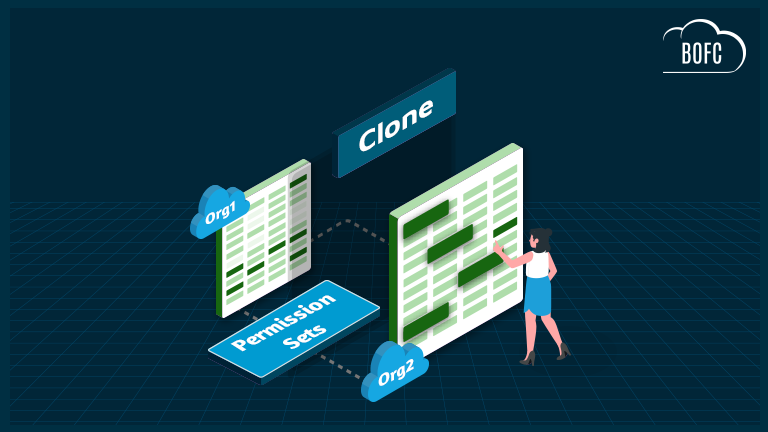
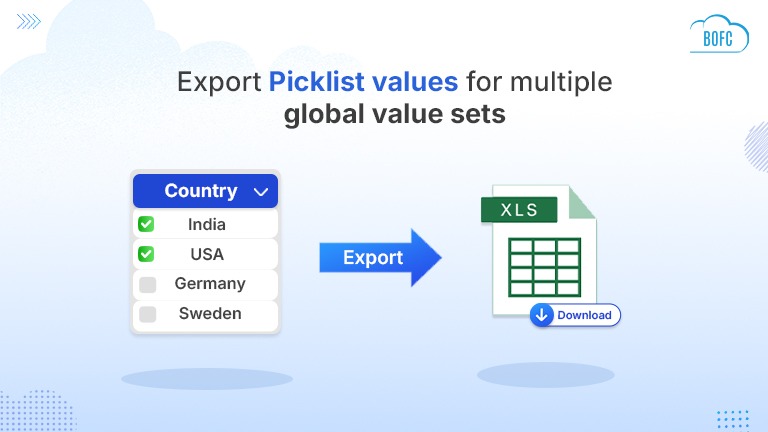
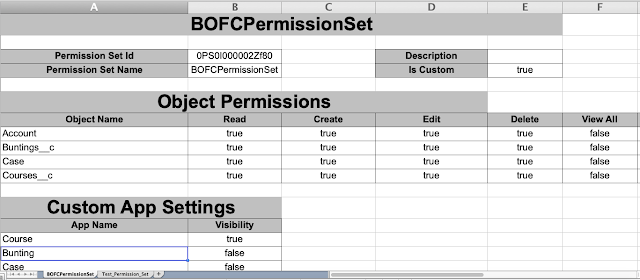
Bulk Object Field Creator (BOFC) is a powerful AppExchange tool that enables Salesforce Admins to export multiple Permission Sets in a single click into a structured XLS file.
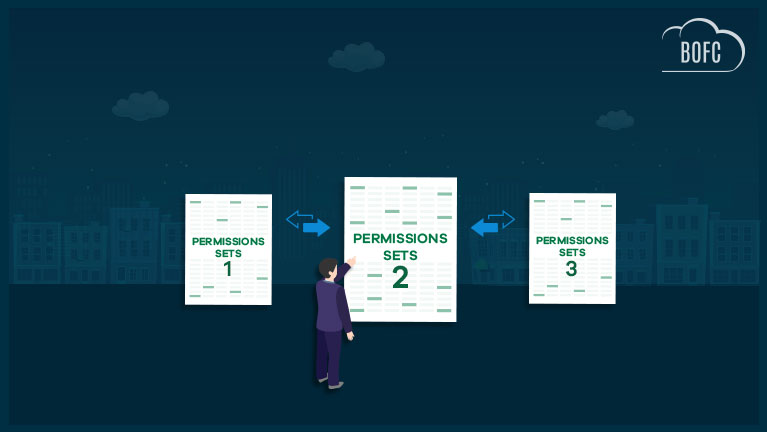
With BOFC, all selected Permission Sets are exported into one Excel workbook, where each Permission Set is organized into its own worksheet tab, making access review fast and intuitive.
What’s Included in the Permission Set Export?
BOFC provides a complete and detailed Permission Set export, including:
-
Object-level access
-
App-level access
-
Tab visibility settings
-
User and Administrative permissions
-
Record Type access
-
Apex Class access
-
Visualforce Page access
-
Field-level permissions
This comprehensive export helps Admins perform accurate Salesforce security audits and maintain clear access documentation.
Benefits of Using BOFC for Permission Set Export
-
Bulk export multiple Permission Sets in XLS format
-
One-click, no-code, fully clickable interface
-
Eliminates manual copying and repetitive work
-
Saves hours of admin effort during audits and reviews
-
Ideal for compliance, governance, and access analysis
Why Salesforce Admins Choose BOFC
BOFC is designed to simplify Salesforce metadata management at scale. By automating Permission Set exports, Admins gain better visibility into user access, reduce operational overhead, and ensure consistent security practices across the org.
If you’re looking for the best way to export Permission Sets in Salesforce, BOFC offers a fast, reliable, and admin-friendly solution.
To avail this feature, kindly make sure you have installed the latest version of the application. You can upgrade your package using either of two ways:
- In Salesforce, go to “BOFC Home > Settings > App Version > Click to Upgrade” — or —
- Refer the below button to quickly upgrade your package to the latest version and explore its complete benefits:
Stay up to date with the latest in BOFC - Latest features, offers, news, tips and more
Few Simple Steps to Export Permission Set in Salesforce
1. Open the BOFC Home > Click “Export Multiple Permission Set (Complete Details)”
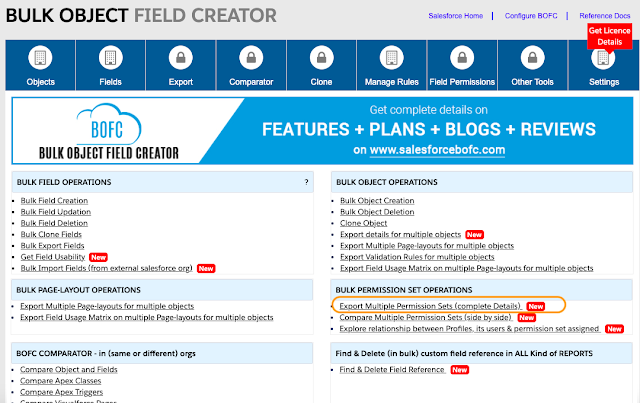
2. It will open below screen for BOFC “Export Multiple Permission Sets”
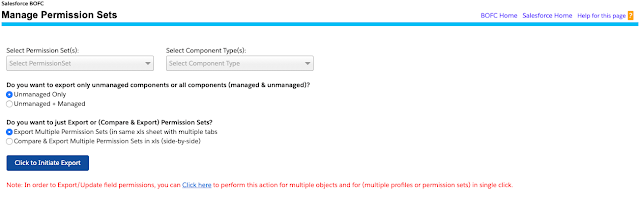
3. User can choose different actions on Export screen. This below image is highlighted with number and has its description as below:
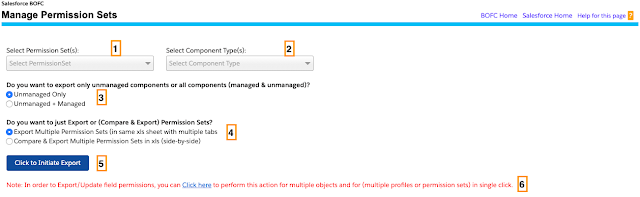
- Select single or multiple Permission Sets from the drop down
- Select which permission Set components needs to be exported (for eg: Object details, Apex permissions, Record type settings, user permissions etc)
- Select “if user wants to export components which are unmanaged or components related to managed packages and unmanaged (both)?
- Select “if user wants to export or compare Permission Set”?
- Click “Click to Initiate Export” button to export xls file for all the selected permission sets with all the selected components. It will exports single xls (with multiple tabs, one tab for each Permission Set) for all the selected Permission Sets in Salesforce.
- The Component list doesn’t have object “Fields Permissions”. To export or update Field permissions for Multiple objects and multiple Permission Sets use the “Click Here” link to open the field permissions page
4. On clicking the export buttons, it will display a small section on the page. This section show the status of your export for multiple Permission Sets Wait for couple of seconds, until status is changed to “Completed” in the export status table.
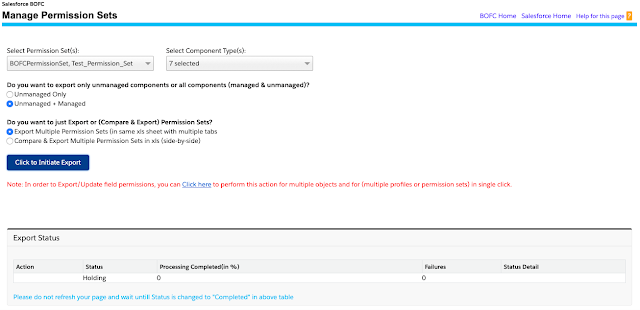
- Status: Shows if process got completed or not
- Processed: Shows no of permission sets which are successfully processed
- Failure: Shows no of permission sets which got error out
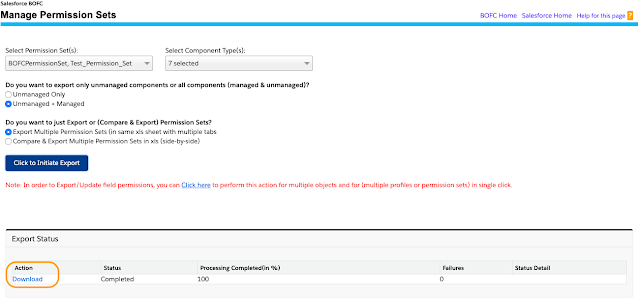
5. Once status is “Completed”, your file is ready for export. Click on “Download” link to download your Permission Sets export in xls.
“Click Download Link” : On clicking this link, it will download a xls file for all the selected Permission Sets. Each Permission Set is represented as a separate tab in xls. Each Tab will have complete detail of all the selected component types.
Have a look at step by step detailed video to “BOFC Export Multiple Permission Sets in few clicks”
******************************************************************************
Have you started using BOFC yet? Thousands of BOFC users have been able to save time & boost productivity using our Salesforce Metadata app. Click here to install the latest version of BOFC application in your Salesforce instance & explore its complete benefits for you.
For any queries or suggestions, you can contact us at https://www.bofc.io/#contact or mail us: support@bofcapp.io. Our BOFC Expert will help you get the best out of it.