Purchasing the paid version of Bulk Object Field Creator (BOFC) is quick, secure, and straightforward. Whether you’re a Salesforce Admin, Developer, or Consultant, upgrading to the paid version unlocks powerful bulk metadata management capabilities that can significantly reduce manual effort and save valuable time.
To make the purchasing process smooth and convenient, BOFC now supports secure payments through Stripe and PayPal, two of the world’s most trusted online payment platforms.
In this guide, we’ll walk you through the simple steps to purchase the BOFC paid version using either payment method.
Why Upgrade to the BOFC Paid Version?
The paid version of BOFC is designed to help Salesforce teams work faster and more efficiently by automating repetitive configuration tasks.
With the BOFC paid version, you can:
- Create multiple fields in bulk within minutes
- Clone fields and metadata across objects
- Compare profiles and permissions easily
- Reduce manual errors in configuration
- Save hours of administrative effort
- Improve overall Salesforce productivity
If you regularly manage metadata in Salesforce, upgrading to the paid version can dramatically streamline your workflow.
Payment Methods Available
BOFC currently accepts the following secure payment methods:
- Stripe (Credit and Debit Cards)
- PayPal
Both options provide fast, reliable, and secure transactions, ensuring a seamless purchasing experience.
Step-by-Step Guide to Purchase the BOFC Paid Version
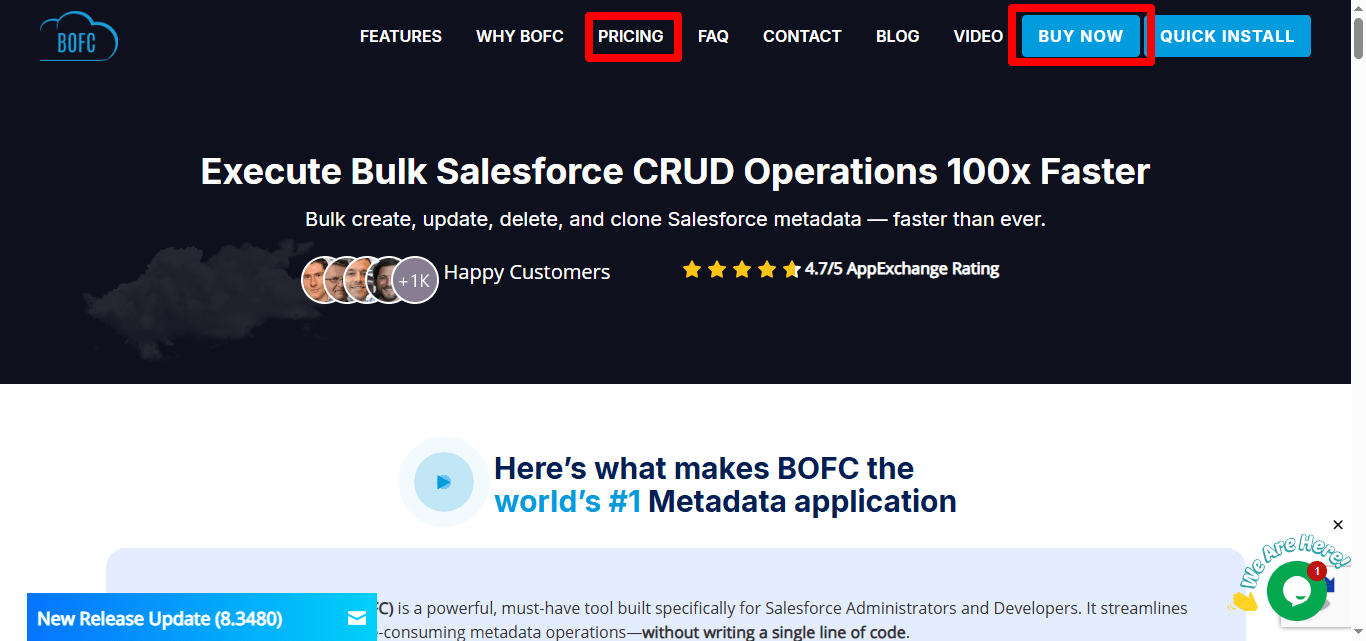
Step 1: Visit the BOFC Pricing Page
Go to the BOFC website and navigate to the Pricing or Purchase section.
Choose the plan that best fits your business or project requirements.
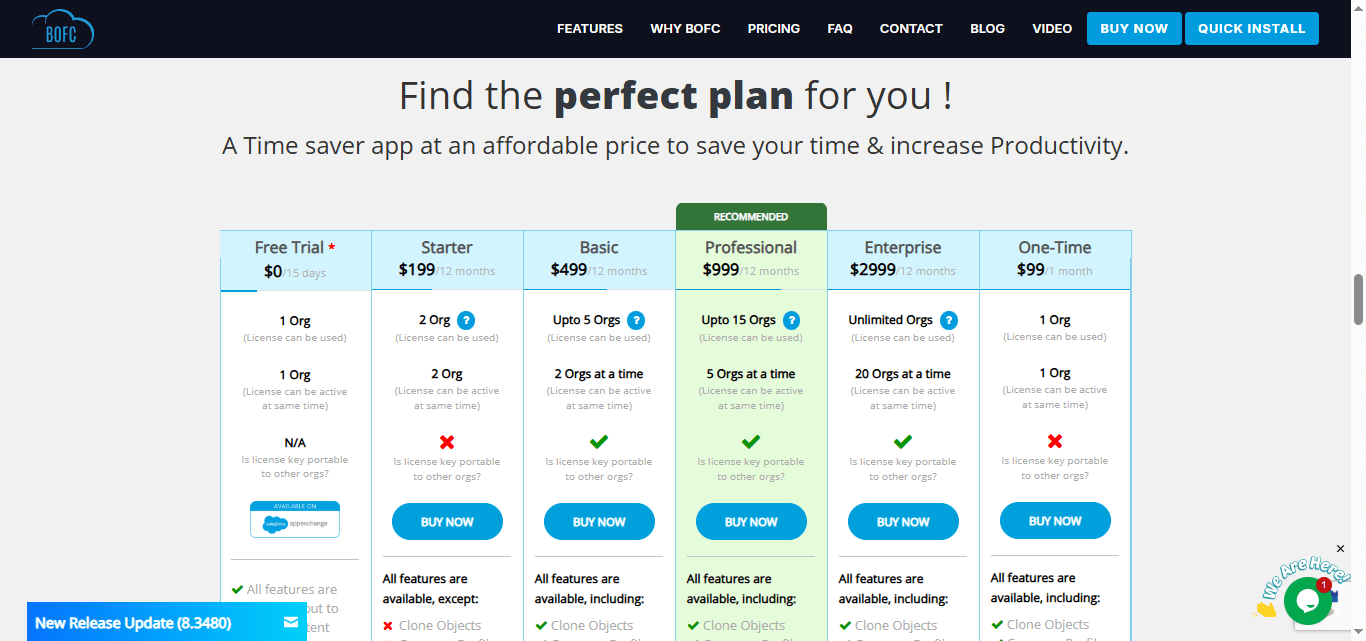
Step 2: Click the Purchase or Upgrade Button
After selecting your plan, click:
Buy Now
or
Upgrade to Paid Version
You will be redirected to the secure checkout page.
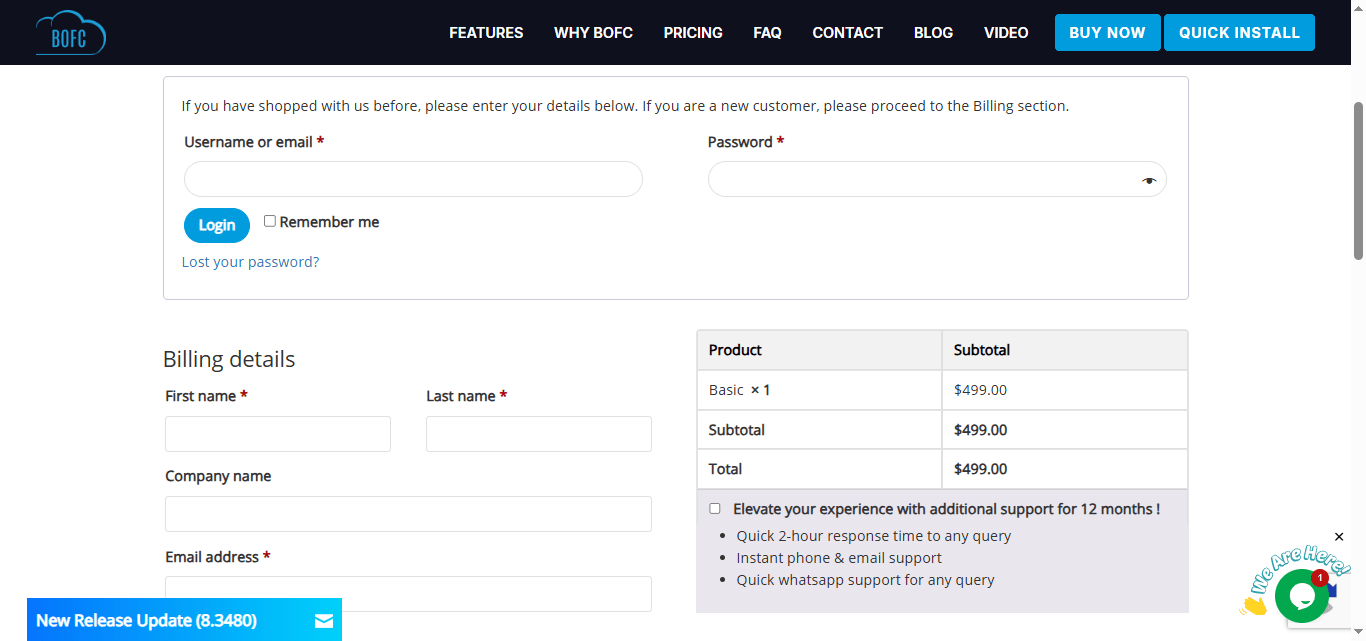
Step 3: Select Your Payment Method
On the checkout page, choose one of the following payment options:
Stripe
Use this option to pay securely using your credit or debit card.
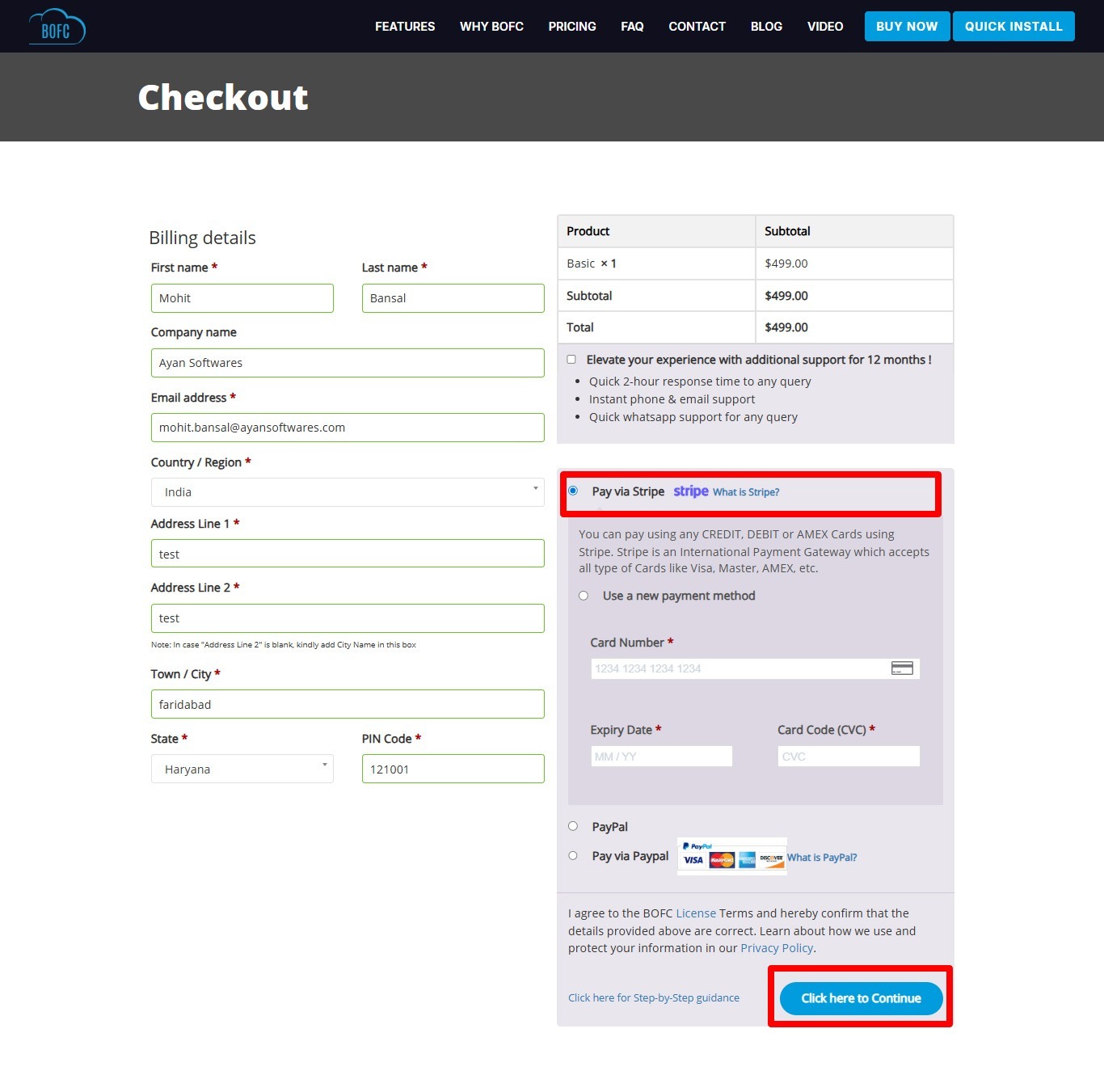
PayPal
Use this option if you prefer paying through your PayPal account.
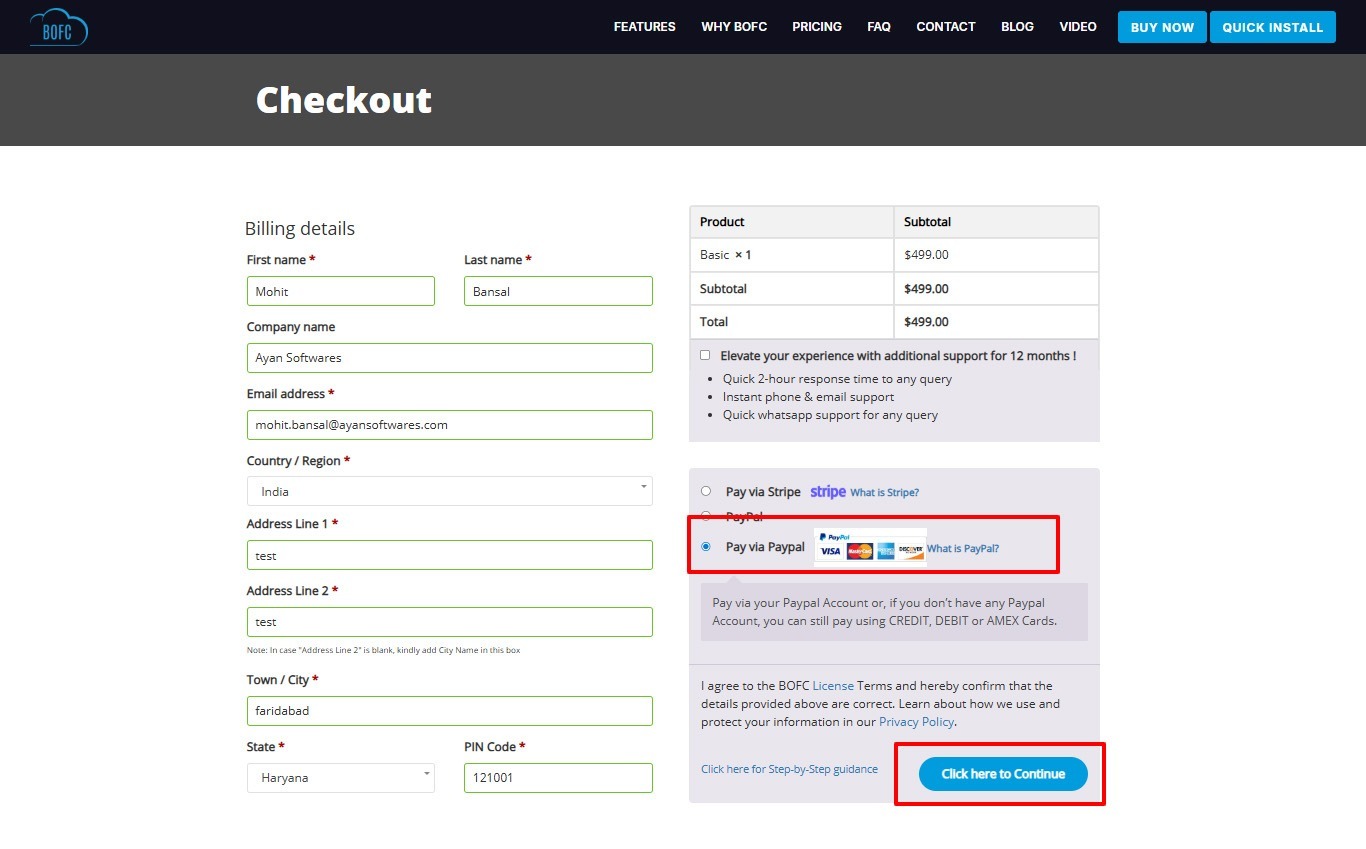
Step 4: Complete the Payment
Enter your payment details and confirm the transaction.
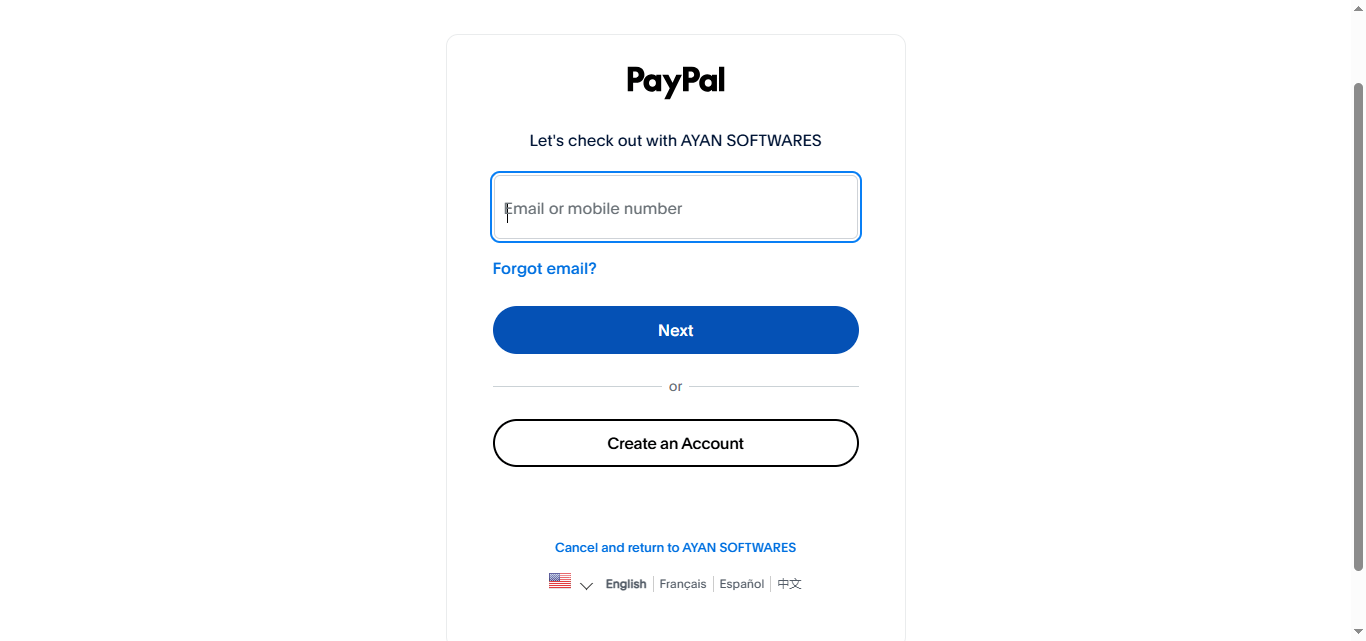
Once the payment is successfully processed:
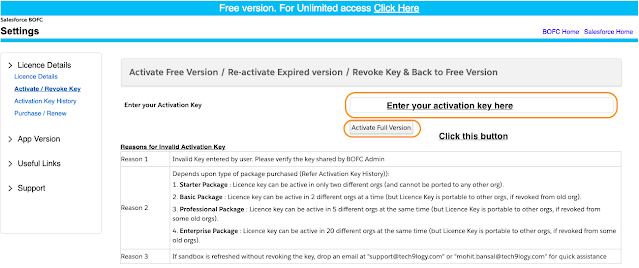
- Your BOFC license will be activated
- You will receive a confirmation email
- You can immediately start using the paid features
Is the Payment Process Secure?
Yes. BOFC uses industry-standard, secure payment gateways to protect your transactions.
Both Stripe and PayPal provide:
- Encrypted payment processing
- Fraud protection
- Secure authentication
- Reliable global payment support
Your payment information is never stored on the BOFC platform.
What Happens After Purchase?
After completing your purchase:
- Your license is activated quickly
- You receive confirmation via email
- You can start using premium BOFC features immediately
- Support is available if you need assistance
This ensures a smooth and hassle-free onboarding experience.
Need Help With Your Purchase?
If you encounter any issues during the purchase process or have questions about licensing, the BOFC support team is ready to assist you.
You can contact support for:
- Payment assistance
- License activation help
- Plan selection guidance
- Billing questions
Conclusion
Upgrading to the BOFC paid version is a simple and secure process. With support for trusted payment methods like Stripe and PayPal, purchasing your license takes just a few minutes.
If you’re looking to save time, reduce manual work, and improve Salesforce productivity, upgrading to the BOFC paid version is a smart investment.