Export Global Value Sets Salesforce
Managing picklists in Salesforce is a routine task—but when it comes to exporting values from multiple Global Value Sets, things quickly become time-consuming and manual.
If you’re a Salesforce Admin, Architect, or Developer, you’ve probably faced this challenge:
“How do I export picklist values across multiple Global Value Sets without opening each one manually?”
Let’s break it down—and show you a smarter way using BOFC.
The Problem with Standard Salesforce Approach
Salesforce does not provide a native way to export multiple Global Value Sets in one go. To extract picklist values, you typically have to:
-
Navigate to Setup → Picklist Value Sets
-
Open each Global Value Set individually
-
Manually copy values into Excel or documentation
-
Repeat the process for every Value Set
The Smart Way: Using BOFC
BOFC (Bulk Object Field Creator) simplifies Salesforce metadata management—including exporting picklist values across multiple Global Value Sets in just a few clicks.
🔧 What BOFC Helps You Do:
-
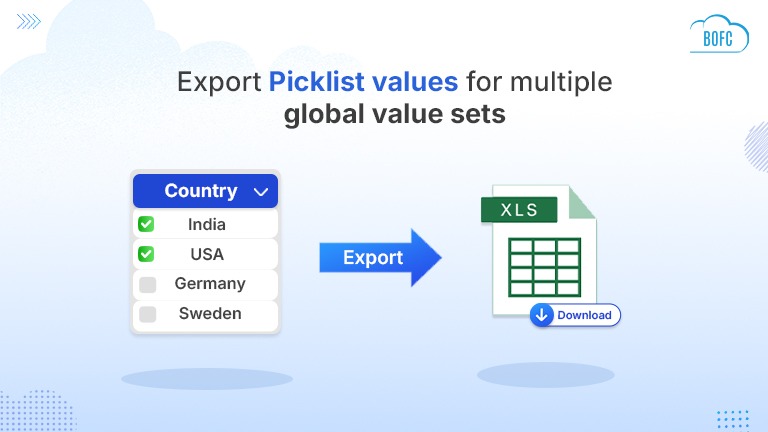
Export multiple Global Value Sets at once
-
Download picklist values in Excel format
-
Capture:
-
Value Set Name
-
Picklist Values
-
API Names
-
Active/Inactive status
-
Default values
-
-
Eliminate manual copy-paste work
To avail this feature, kindly make sure you have installed the latest version of the application. You can upgrade your package using either of two ways:
- In Salesforce, go to “BOFC Home > Settings > App Version > Click to Upgrade” — or —
- Refer the below button to quickly upgrade your package to the latest version and explore its complete benefits:
Stay up to date with the latest in BOFC - Latest features, offers, news, tips and more
Steps to Export Global ValueSet Salesforce
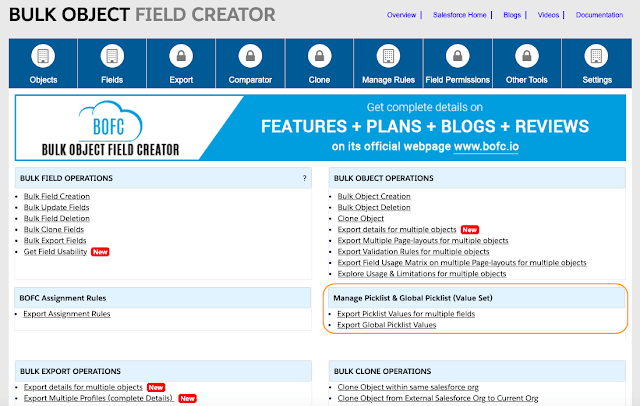
Step 1: Open BOFC Home → Click “Export Global Picklist or ValueSet”
Step 2: BOFC Export Screen Opens
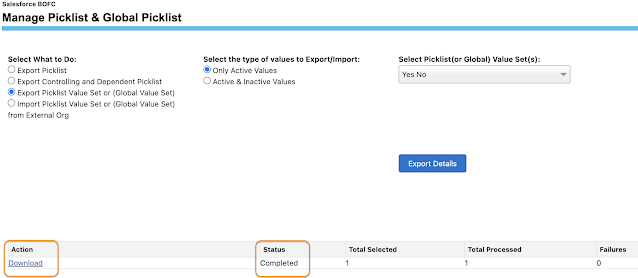
This screen displays all available Global Value Sets for selection.
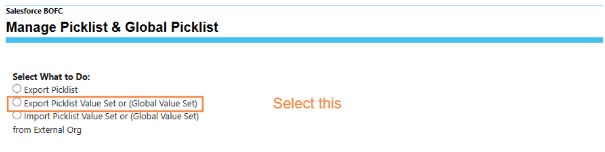
Step 3: Select Picklist Type and Value Sets
Choose:
- Whether to export Active, Inactive, or Both
- Single or multiple Value Sets to include in the export
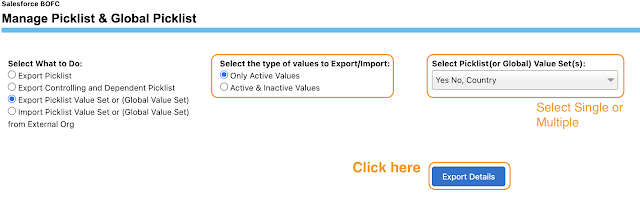
Once selections are made, you’re ready to continue.
Step 4: Click “Export Details”
BOFC initiates the export process and opens a status section to show progress.
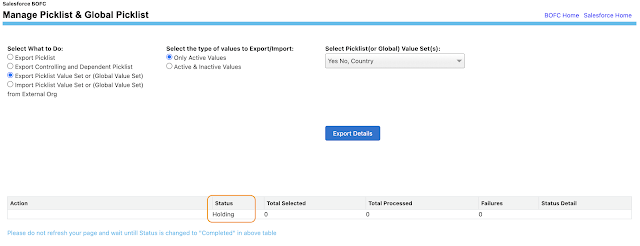
Step 5: Download the Exported File
After processing completes, the status updates to “Completed” and the Download link becomes available.
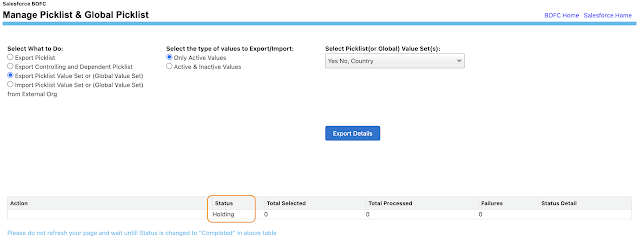
Click the Download link to receive the XLS file containing all selected Value Set values, formatted and ready for use.
Summary
Export Global Value Set in Salesforce is inefficient and time-consuming—especially in large orgs. BOFC eliminates these challenges with a simple, automated bulk export process that delivers accurate, ready-to-use output in seconds.
If your team frequently audits metadata, migrates configurations, or manages complex picklists, BOFC is the most efficient way to export Value Sets in Salesforce at scale.