How to Mass Delete Email Templates in Salesforce?
Published: May 12 2026
Last Updated: Oct 26 2026
Quick Verdict:
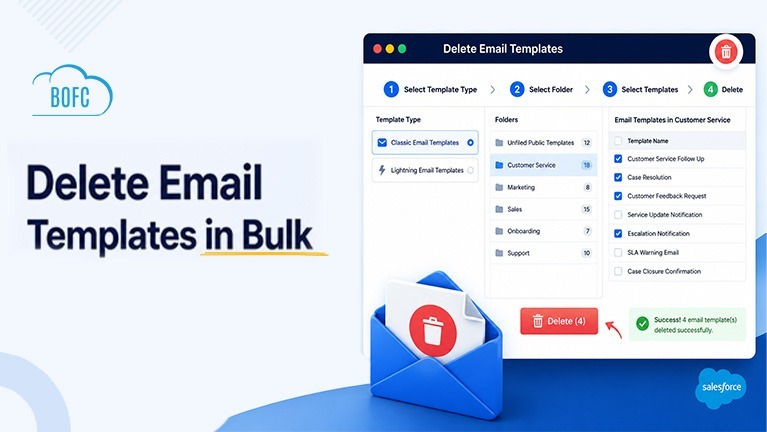
Deleting Salesforce Email Templates manually means opening each template and removing it one at a time. This becomes especially time-consuming when you are cleaning up large template libraries, sandboxes after a refresh, or duplicate templates spread across multiple folders. BOFC provides a point-and-click way to mass delete Email Templates in Salesforce, allowing admins to select multiple Classic or Lightning templates and remove them in one action.
Cleaning up Salesforce Email Templates should not take an afternoon. With BOFC (Bulk Object Field Creator), you can delete multiple Classic or Lightning Email Templates in a single action, straight from inside Salesforce.
Over time, every org collects templates nobody uses: old campaign versions, duplicates, and leftovers from migrations and sandbox refreshes. Removing them one by one is slow, and it is usually the task that keeps getting pushed to next week.
This guide shows how to mass delete Email Templates in Salesforce, for both Classic and Lightning, in 5 simple steps.
Why Delete Salesforce Email Templates with BOFC?
- Delete many templates at once: Select multiple templates and remove them in one action instead of one by one.
- Classic and Lightning in one place: Clean up both template types from the same screen, whichever your org uses.
- Folder-based browsing: Open a folder, review what is inside and pick exactly the templates that need to go.
- Less admin overhead: Spend your time on releases and improvements, not repetitive cleanup.
- Trusted by Salesforce admins: 50,000+ installs and a 4.8/5 rating on AppExchange.
Before You Delete: Quick Checklist
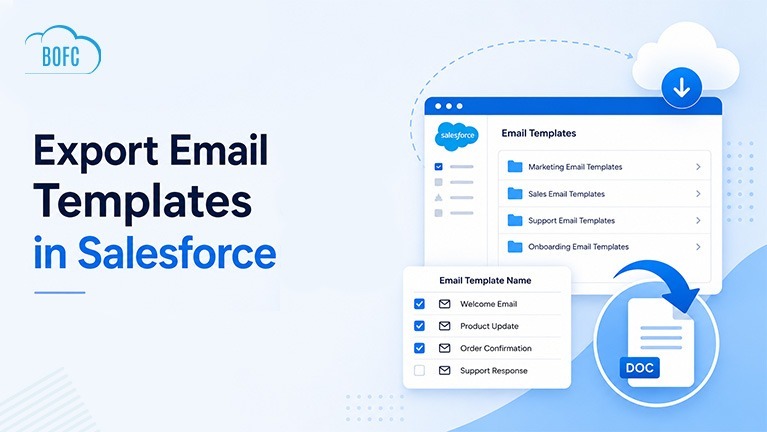
- Export a backup first. Follow our guide: How to Export Email Templates in Salesforce.
- Check where templates are used. Look for workflows, flows, approval processes and email alerts that may reference them.
- Test in a sandbox if you are deleting a large batch.
- Review your selection. Confirm the folder and the templates before you click Delete.
Steps to Mass Delete Email Templates in Salesforce with BOFC
Step 1. Open the BOFC Home > Click “Delete Email Templates”
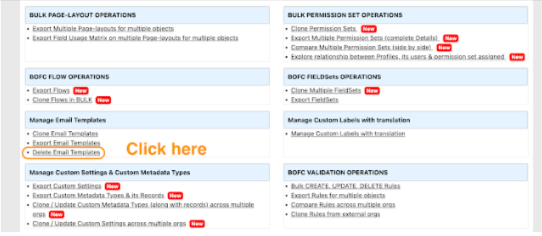
Step 2. It will open below screen to Delete Email Templates. Select type of template as Classic or Lightning.
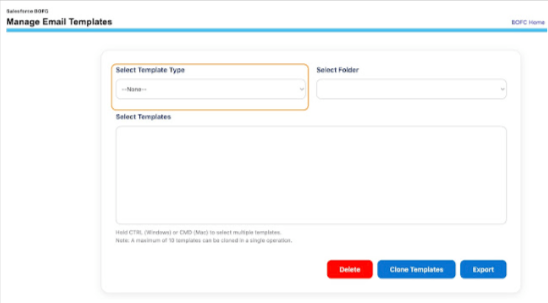
Step 3. Once the template type is selected, it will load all the folders of the templates for the selected type.
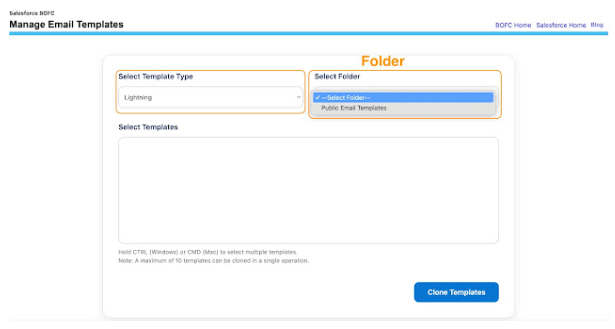
Step 4. Select the name of the folder and it will automatically load all the email templates. Select single or multiple templates (by pressing CTRL). Once ready, click on “Delete” button to initiate the process.
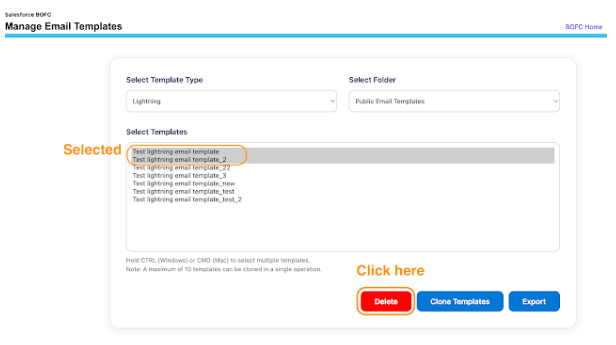
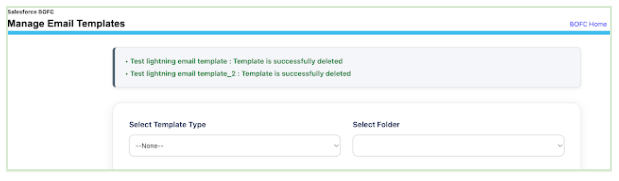
Step 5. Once the “Delete” button is clicked, it will delete the selected templates and will share the status on the page.
Common Use Cases for Bulk Email Templates Deletion
Salesforce teams commonly use BOFC for:
- Removing obsolete templates after a process change
- Cleaning sandbox environments after a refresh
- Deleting duplicate templates
- Post-migration cleanup
- Reducing org clutter and reorganizing template folders
- Maintaining template governance standards
Final Thoughts
Manual Email Template cleanup is slow, repetitive and easy to keep postponing, especially in large orgs. With BOFC, admins can delete multiple Classic or Lightning Email Templates in a few clicks, which keeps the org tidy and the template library easy to manage.
If you handle sandbox refreshes, migrations or growing template libraries, BOFC turns hours of clicking into a quick, repeatable cleanup.
Ready to clean up your templates? Install BOFC from AppExchange or Book a Demo.