How to Automate Apex Test Class Generation in Salesforce?
Published: Nov 17 2026
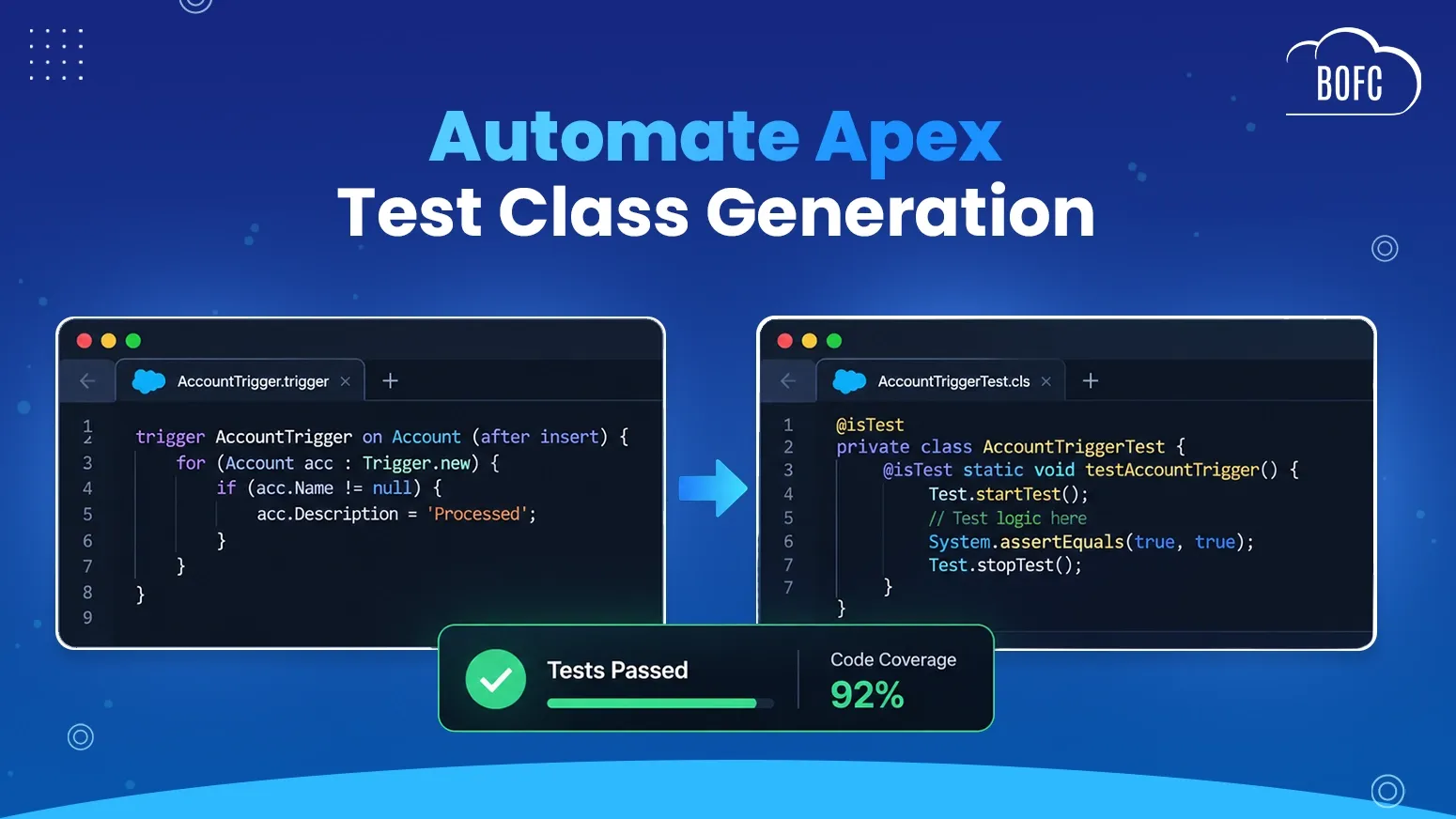
Quick Answer:
To automate Apex test class generation in BOFC, open the Dev Console tab from BOFC Home in Salesforce and go to the Automatic Test Code Generator. Select the Apex class or trigger you need a test class for, click generate, and BOFC produces the test code automatically. Then review the generated test class, adjust it for edge cases and business logic, run it to confirm it passes and check the coverage percentage, and deploy once coverage clears 75%.
Every production deployment in Salesforce needs at least 75% Apex code coverage, and there is no standard feature that writes the test class for you. That means every test method, every block of test data setup and every assertion is written by hand, and until coverage clears the threshold, code that already works cannot move to production. Under deadline pressure, that last hurdle slows releases and tempts developers to write just enough test code to hit the number.
To automate Apex test class creation, you need an Apex test class generator that reads your class or trigger and produces the test code. This guide shows how to do it with BOFC’s Apex Test Class Generator, the Automatic Test Code Generator inside BOFC Dev Console, one step at a time, from opening the generator to deploying once coverage clears 75%.
What Is the 75% Apex Code Coverage Requirement?
Before Salesforce lets you deploy Apex to production, at least 75% of your Apex code must be covered by unit tests, and those tests must pass. Every trigger also needs some coverage. It is a hard gate, not a suggestion, and it applies to every deployment.
Salesforce enforces the rule but leaves the test class entirely to the developer. There is no standard feature that looks at an Apex class or trigger and produces a starting test class, so you write every test method from scratch.
Why Writing Apex Test Classes Manually Slows Developers Down
The requirement exists for a good reason: it keeps untested code out of production. The cost lands on the developer, in four ways:
- No native test class generation: nothing in standard Salesforce turns an Apex class or trigger into a starting test class.
- Repetitive, time-consuming work: much of a test class is boilerplate such as setting up test data, calling the method and asserting the obvious outcomes. It adds up fast on classes with several methods or branching logic.
- Delays before you can deploy: until coverage clears 75% you cannot move forward, so test-writing becomes the last, tedious hurdle between “the code works” and “the code is in production.”
- Uneven coverage quality: under time pressure, developers sometimes write just enough test code to clear the threshold instead of tests that meaningfully exercise the logic.
For something mandatory on every deployment, hand-writing test classes is a recurring tax on delivery speed.
How BOFC’s Apex Test Class Generator Works
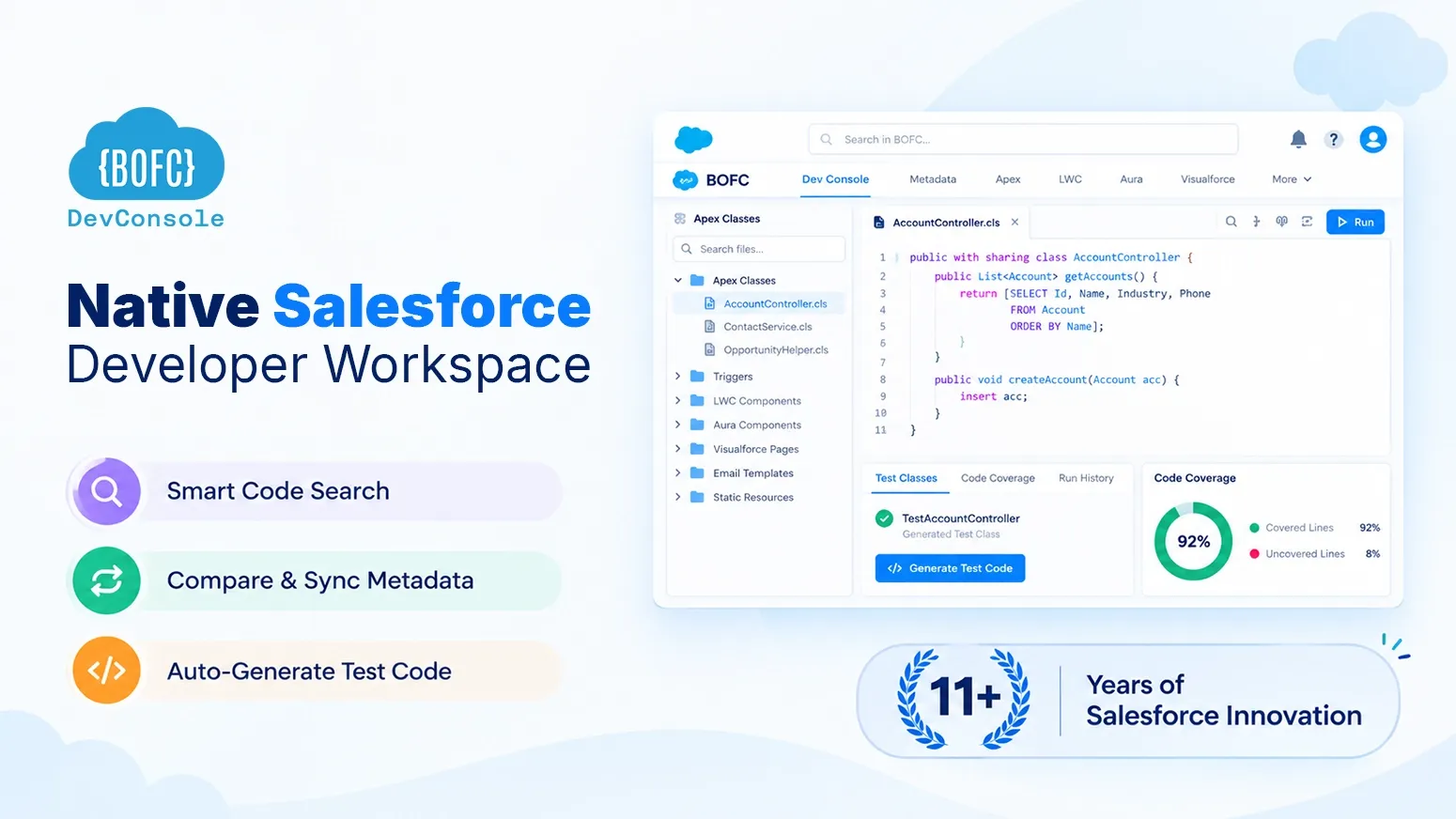
BOFC Dev Console includes an Automatic Test Code Generator that works as an Apex test class generator for both classes and triggers. Point it at an Apex class or trigger and BOFC generates the test code, so you do not spend time and manual effort writing it from scratch.
What it gives developers:
- Automatic generation: test code is generated directly from the target Apex class or trigger, instead of being written by hand line by line.
- A faster path to 75% coverage: skip the most repetitive part of getting deployment-ready and get a working test class in a fraction of the time.
- Support for Apex classes and triggers: it is not limited to simple classes. It works across the classes and triggers that actually need coverage before deployment.
- More time for what matters: developers can focus on the logic and edge cases that need thoughtful testing instead of setup boilerplate.
How to Automate Apex Test Class Generation with BOFC?
Step 1 : Open BOFC
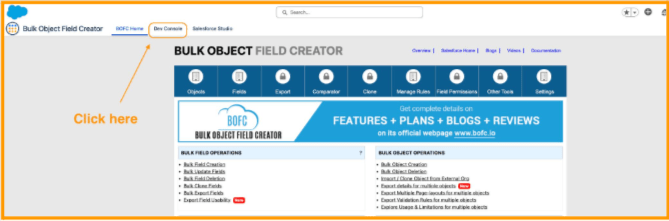
In Salesforce, click the App Launcher (nine dots) and search for “BOFC Home.” Then click the Dev Console tab next to it.
Step 2 : Navigate to the Test Code Generator
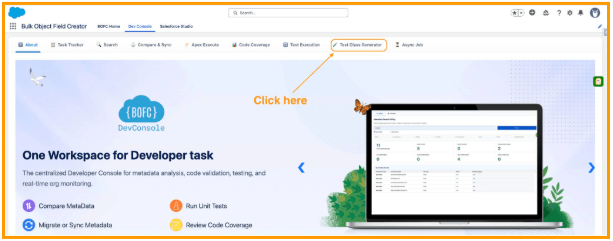
From the BOFC home menu, go to the Automatic Test Code Generator section.
Step 3 : Select the Apex class or trigger
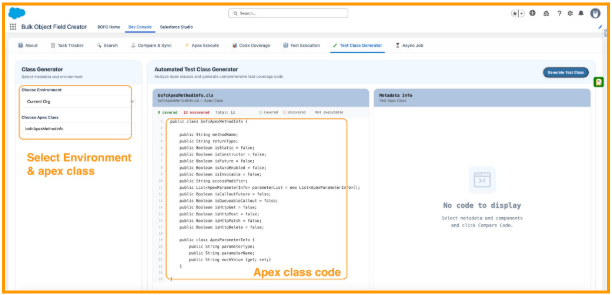
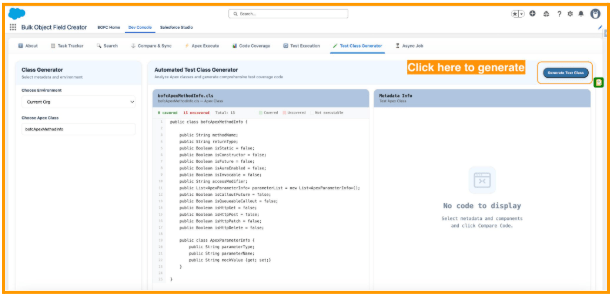
Choose the specific Apex class or trigger you need a test class for. Once selected, it will display the original apex code in the box.
Step 4 : Generate the test code
Click generate. BOFC analyzes the selected class or trigger and produces test code for it automatically.
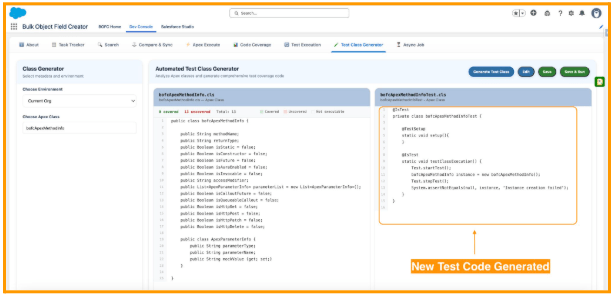
Step 5 : Review the generated test class
Look over the generated test code to see the methods, test data setup, and assertions BOFC has produced.
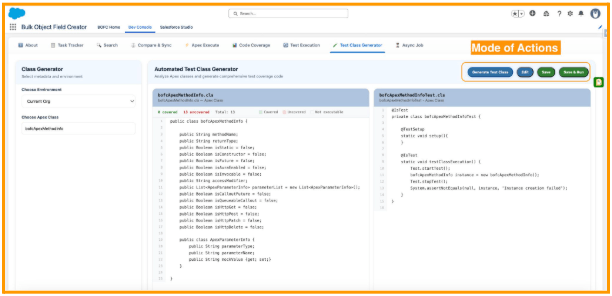
Step 6 : Adjust as needed
Refine or Edit the generated test class for any specific edge cases or business logic you want to cover beyond the baseline.
Step 7 — Deploy with confidence
Once coverage clears the 75% threshold, move forward with your deployment — without having spent hours hand-writing the test class from scratch.
What to Check in a Generated Apex Test Class Before You Deploy
A generated test class is a strong baseline, not the finish line. When you review it, check these points:
- Assertions test real outcomes: each test method should assert expected results, not just run code to raise the coverage number.
- Test data fits your org: records created in the test should respect the required fields, validation rules and record types your org uses.
- Edge cases are covered: add scenarios for conditions, empty inputs and error paths the baseline does not reach.
- Bulk behavior is tested where it matters: a trigger can receive up to 200 records in one batch, so add a bulk scenario for triggers and classes that process lists.
- Tests create their own data: a test class should not depend on records that already exist in the org.
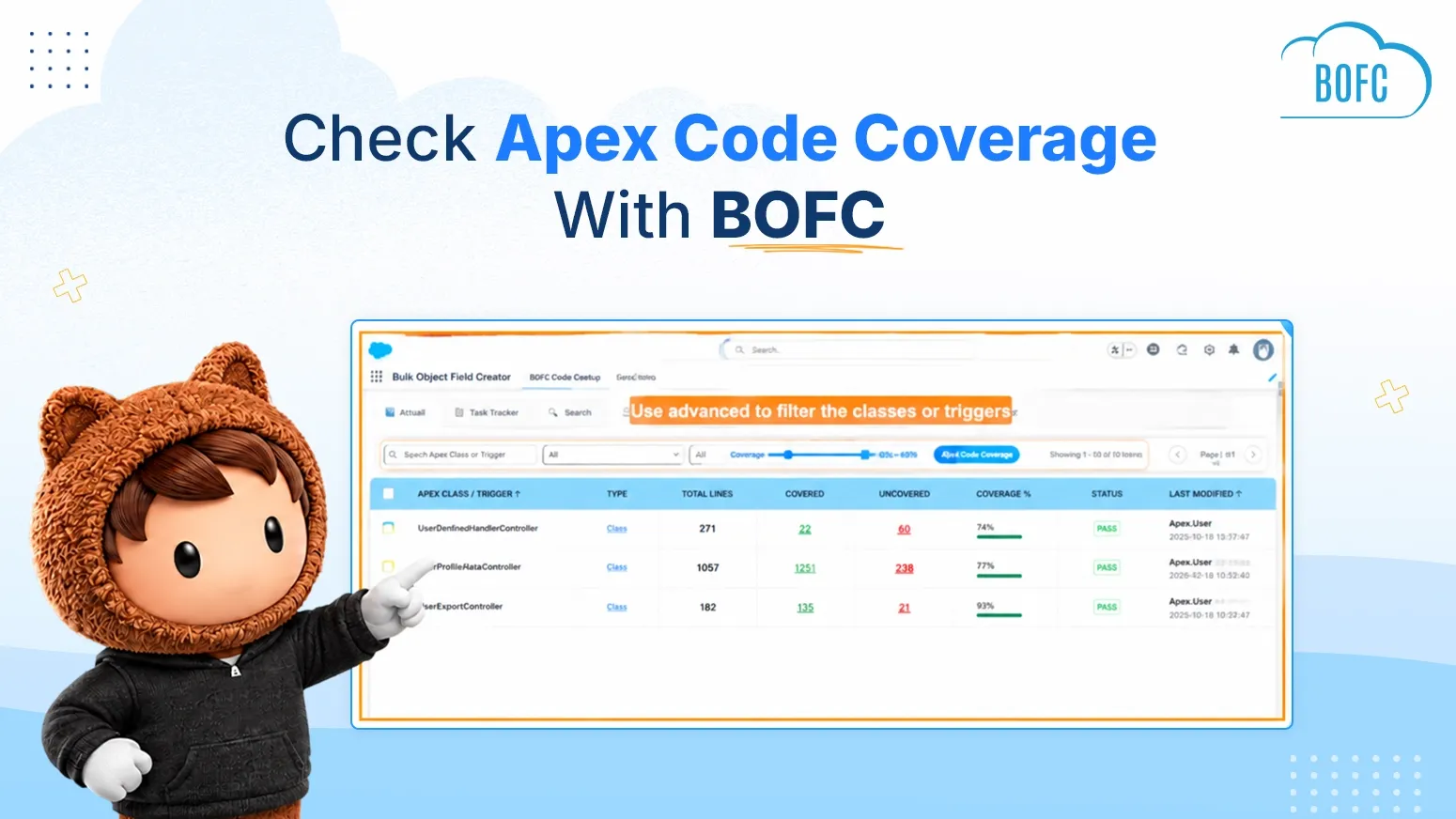
Then run the test class, confirm it passes and check that coverage clears 75%. To see coverage across every class and trigger at once, read Check Apex Code Coverage Across All Classes and Triggers.
When to Use an Apex Test Class Generator
- Deployment deadlines: get to 75% coverage quickly when a release is time-sensitive, so test-writing does not become the bottleneck.
- Legacy classes with no tests: generate a starting test class for older Apex code that was never properly covered, instead of writing one from zero.
- Freeing up developer time: spend your time on meaningful test scenarios and edge cases, not repetitive setup and boilerplate.
- Consistency across the team: reduce the variation in test quality that comes from different developers rushing to hit the coverage number.
Wrapping Up
Salesforce makes 75% code coverage mandatory but offers no help getting there, leaving developers to hand-write every test class before they can deploy.
BOFC’s Apex Test Class Generator closes that gap. It generates test code for Apex classes and triggers automatically, so you spend your time on the logic that needs careful testing instead of the manual effort of getting a test class off the ground.
Ready to automate Apex test class generation? See BOFC pricing, book a demo, or install BOFC in your production org or sandbox.