

Happy Customers
(4.8/5 Ratings)
3K+ Reviews on Salesforce AppExchangeCut Salesforce Setup from
Days to Minutes
AI-Enabled Native Salesforce Solution for Metadata & Code Management. Bulk manage metadata, build and debug code, all inside your org.













Installs
Trusted by Salesforce admins, developers and consultants worldwide.
AppExchange Rating
Over 3,000 verified customer reviews from Salesforce Rangers and MVPs.
Countries Worldwide
Helping Salesforce teams work faster across the globe.
Faster Deliveries
Accelerate multi-sandbox rollouts and eliminate tedious manual configuration.
One Native Platform for
Metadata & Code Management
BOFC brings Salesforce metadata management, AI-assisted development and a developer workspace together, all inside your org. Nothing to export, nothing to switch to.
Metadata management, minus the busywork
Clone Metadata
Copy objects, flows, and email templates in bulk instead of rebuilding them.
Create & Update Metadata
Create and update fields in bulk, not one at a time through Setup screens.
Export Metadata
Export permission sets, custom settings, and more without manual copying.
Compare Metadata
Compare metadata between orgs side by side and know exactly what differs.
Delete Metadata
Delete unused fields, old email templates, and more in bulk, not one by one.
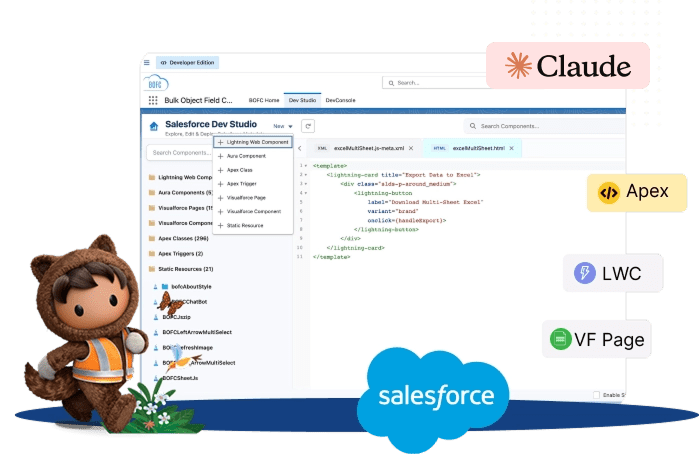
Turn your org into your IDE
Write, fix, and explain Salesforce code with Claude AI, right inside your org. No local setup, no CLI, and nothing to sync.
- Edit Lightning Web Components (HTML, JavaScript, CSS, and XML)
- Edit Aura Components (controller, helper, style, and markup)
- Write and edit Apex Classes
- Edit Apex Triggers from one list
- Manage Visualforce Pages in one library
- Manage Visualforce Components in the same library
All your dev work, one place
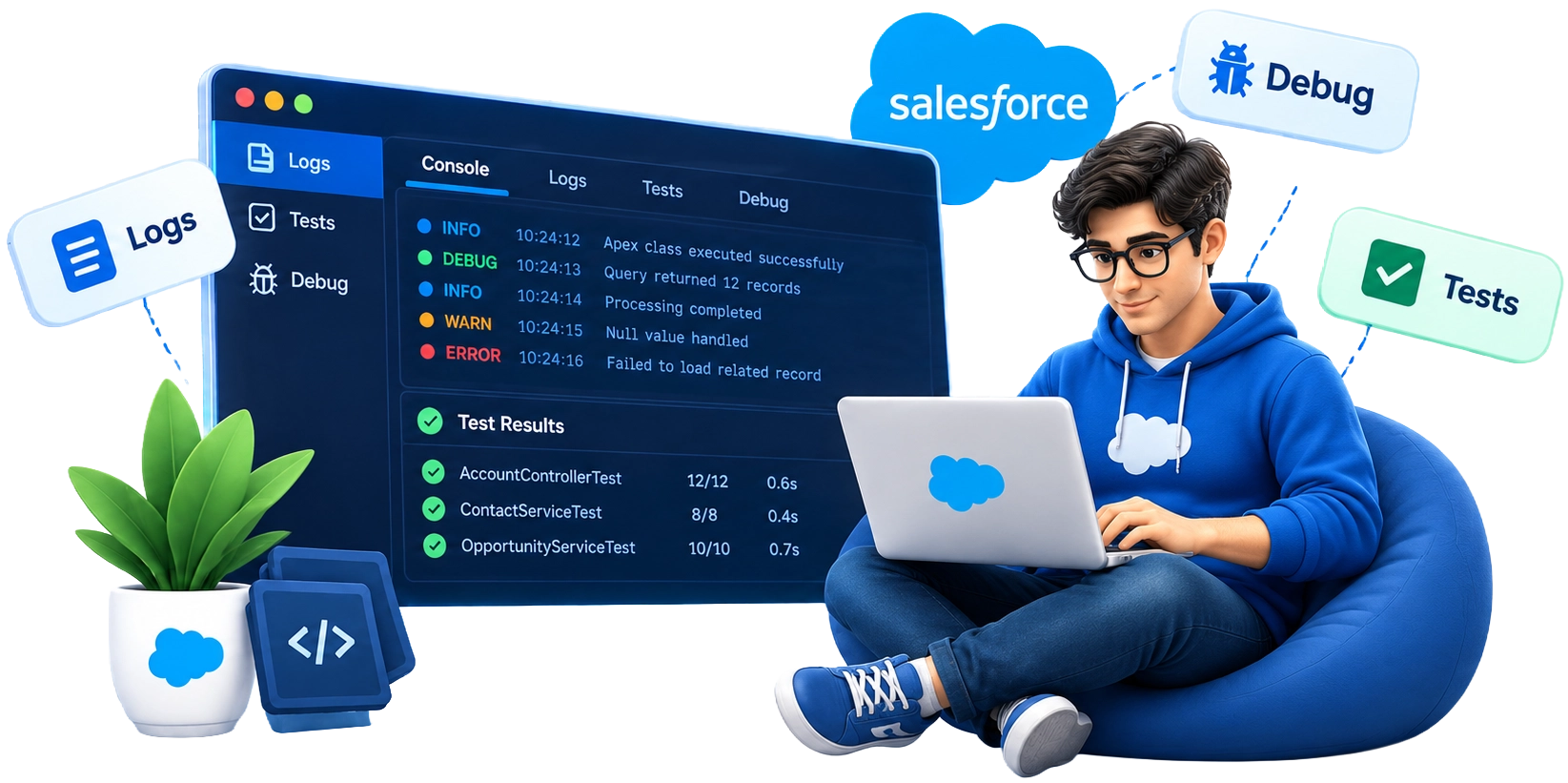
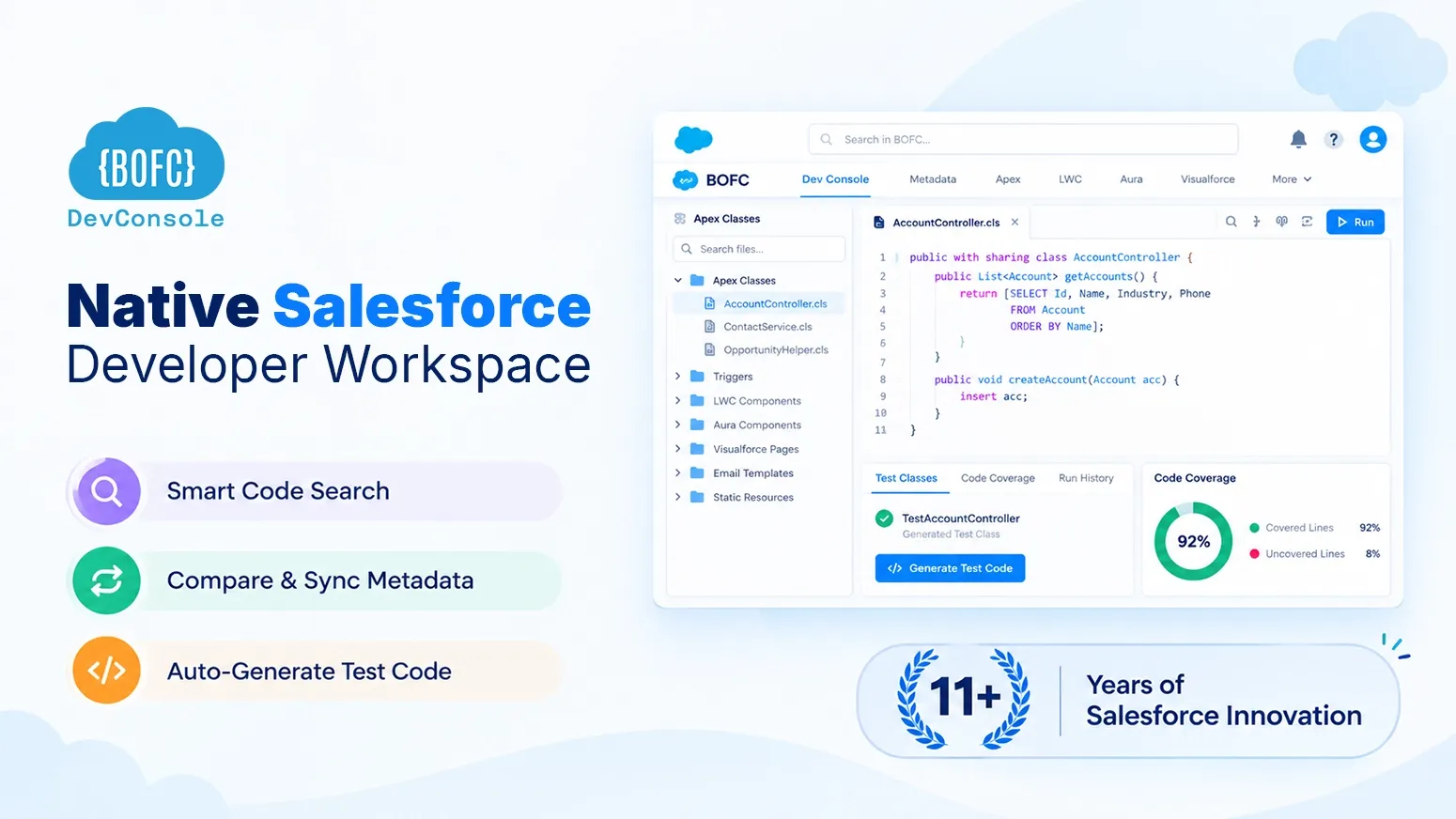
Dev Console is a native workspace inside your org for the Apex jobs, tests, and code checks you now do in separate tools.
- Search text and keywords across your Salesforce code
- Compare code across multiple orgs
- Generate Apex test classes automatically
- Check Apex code coverage
- Run multiple Apex executions and review the history
- View and manage Batch Apex
- Manage Schedulable Apex
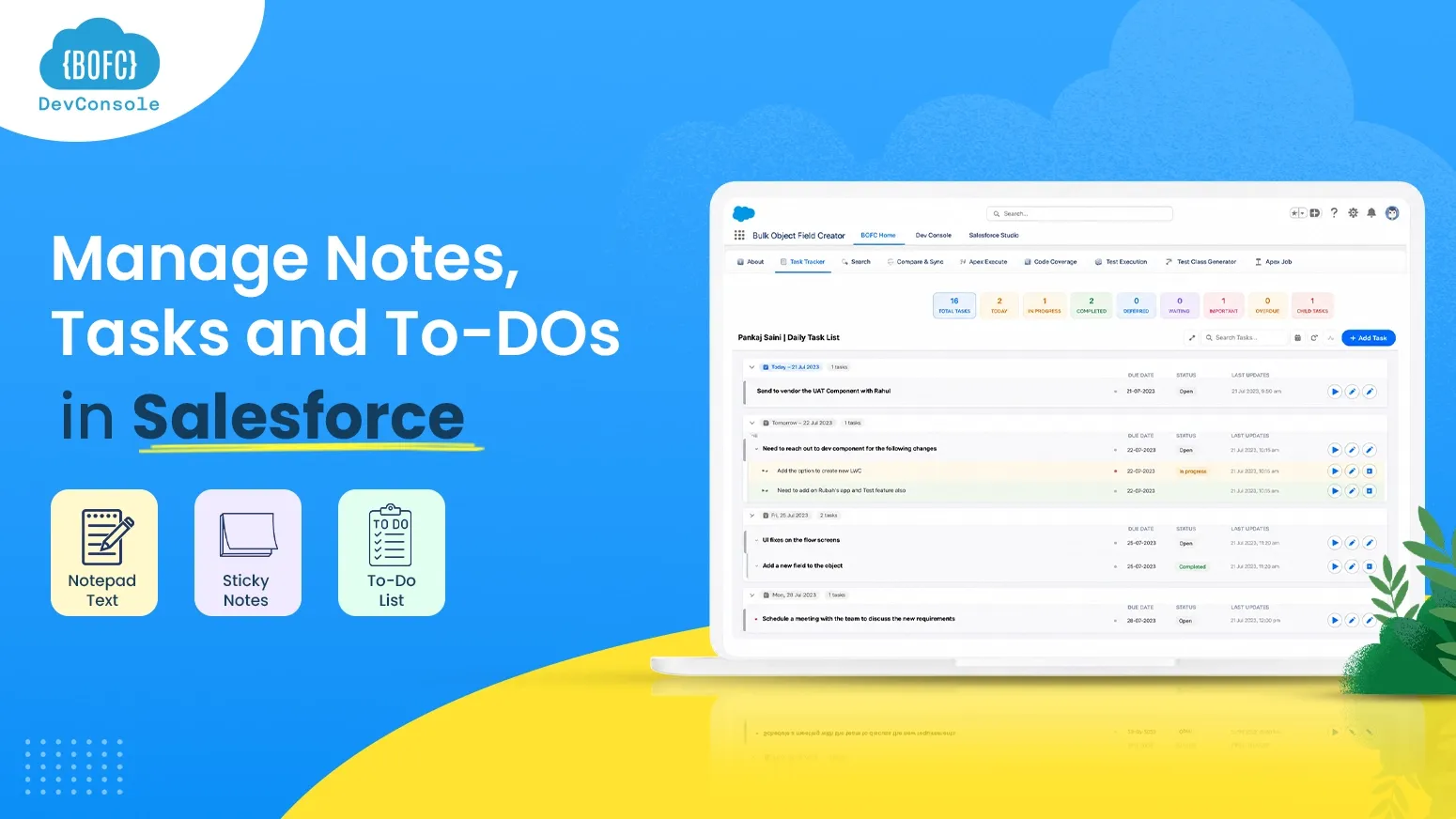
- Keep notes, tasks, and to-dos in one place
Built for the people who
keep Salesforce moving
Whether you administer an enterprise org or deliver client implementations, BOFC manages your metadata and your code in one native platform.
Salesforce Admins
Eliminate repetitive configuration work and manage Salesforce changes faster.
- Bulk create 500+ fields from CSV spreadsheets
- Update Field-Level Security across all profiles in 1 screen
- Generate instant data dictionary exports for audits
Salesforce Developers
Manage metadata and code in one native workspace, with AI help where you write code.
- Instant org diff for fields, profiles, rules & flows
- Deep metadata search across entire Salesforce org
- Integrated Dev Studio with AI-assisted code support
- Claude AI in Dev Studio to write, debug and explain Apex and LWC
Salesforce Consultants
Configure client Salesforce orgs faster and standardize repeatable implementations.
- Clone entire object configurations between orgs in clicks
- Deliver comprehensive metadata documentation to clients
- Reduce configuration billable hours while increasing margins
Salesforce Teams
Improve consistency and productivity across Salesforce environments.
- Synchronize metadata changes across developer sandboxes
- Audit technical debt and safely clean up unused fields
- Enforce consistent naming conventions and security baselines
Find the perfect plan for you
Metadata Studio, Dev Studio and Dev Console, every feature included on every plan.
Free Trial
$0
per month- All Features Included
- Allowed:1 Org
- Licence Active:1 Org
One-Time
$49
per month- All Features Included
- Allowed:2 Org
- Licence Active:2 Org
Basic
$99
per month- All Features Included
- Allowed:5 Orgs
-
Licence Active: 2 Orgs
(at the same time)
Professional
$149
per month- All Features Included
- Allowed:15 Orgs
-
Licence Active:5 Orgs
(at the same time)
Enterprise
$299
per month- All Features Included
- Allowed:Unlimited Orgs
-
Licence Active:20 Orgs
(at the same time)
Note: Pricing is monthly, Use the toggle switch above to view annual subscription rates.
Latest version available
v8.3498in your Salesforce Org
This release introduces new capabilities designed to transform how you manage metadata operations, navigate, and build code within Salesforce — Install NOW to get started.
Metadata Studio
- Export Controlling & Dependent Picklist Values
- Clone Classic/Lightning Email Templates
- Export Profile–User–Permission Set Relationships
Dev Studio
- Clone LWC (all files, one click)
- Rename files within LWC/Aura bundles
- Auto-Complete for HTML tags and JS variables/methods
- Syntax highlighting for LWC, Apex, Aura
- Metadata Search (Objects, Custom Settings, Custom Metadata, Labels)
- Claude AI integration for coding, debugging, and comments

Turn Salesforce Challenges into Easy Solutions
The Manual Way (Without BOFC)
- Time-consuming field creation: Manually clicking Setup, selecting data types, typing labels, and setting lengths for 100+ fields takes hours.
- High human error risk: Inconsistent field API names, mismatched permissions, and forgotten picklist defaults cause deployment breaks.
- Repetitive FLS clicks: Setting field-level security across 40+ profiles and permission sets requires endless screen refreshing.
- 3-day audit preparation: Manually copying profiles and permissions into spreadsheets for compliance review drains architect time.
- Developer dependencies: Requires writing CLI scripts or XML change sets just to replicate metadata across sandboxes.
- Tool Switching: Jumping between Setup, Developer Console and local IDEs for one simple change.
Result: Delayed releases, developer burnout, and technical drift.
The BOFC Superpower
- 500+ fields in 2 minutes: Define your architecture in an Excel template or CSV and ingest mass fields across multiple objects simultaneously.
- Built-in Validation: Inherent validation flags mismatched types or bad naming before deploying to the schema.
- 1-Click FLS updates: Bulk assign Read/Edit permissions across every profile and permission set in a single unified grid.
- Instant audit exports: Download comprehensive spreadsheets of your entire security and object model in 30 seconds.
- Zero code required: Full point-and-click interface designed for Salesforce Admins, Consultants, and Business Analysts.
- AI-assisted coding: ask Claude to write, fix or explain Apex and LWC in the same org you manage.
Result: 10x faster configuration delivery with audit-ready exports.
Trusted by teams building
real workflows
see how developers and admins across the world use BOFC build faster, smarter and better

Based on 3000+ customer reivews

Great for Peace of Mind on Access Security
Mohit and team have a great product here that for us help to quickly gain peace of mind on our org access security. Lot of features, but we found the ability to quickly and easily audit our profile and permission set settings decreased our manual efforts by 2x-3x. They are very responsive and open to suggestions, including new features for the roadmap.

Chris Fair
5.0/5
Great time saver
We were looking for an easy way to save ourselves time building fields manually and discovered BOFC, not only was this a great way to speed up object creation but we also found lots of other great tools like the Usage tool to enhance and keep our org healthy. Excellent value for money.

David Smith (Ranger)
5.0/5
Great Tool - Wish I had found it YEARS ago!!!!!
While only just starting to scratch the surface with this, it has been a great help in being able to see “in one place” rules and triggers and actions without having to open multiple tabs or g back and forth. This will make it much easier to streamline and minimize our workflows and processes.
David Storey
5.0/5
Exactly what I needed
Super fast and easy to use. It saves SO much time and I would recommend it to any admins looking to do data transfers.

Anthony Trinh
5.0/5
It works
For me, saying some “works” is a huge compliment as I can generally spot flaws. This removed much pain in a bulk insert of 300 fields (with more to come), so the one year fee paid for itself in the few couple of days. I don’t recall needing to look at any manuals as the whole process was very straight forward (including a template at exactly the spot that I needed it), which again indicates it has been well designed.

Paul Ginsberg (Ranger)
5.0/5
Great - App
This is a huge time saver. The free version is super valuable for one-time projects and the paid version is very cheap when compared to the hours of tedious work it saves you. I highly recommend this app for anyone that has to create a lot of custom objects and fields. We use BOFC on projects our team run for clients We also recommend it to our clients. Plus, support is great. Quick and knowledgeable responses. Very easy to use and simple learning curve to start using it.

Mike McLeland
5.0/5


Estimate Your Team's
Monthly Time Savings
Based on conservative averages from over 50,000 Salesforce professionals.
Everything About BOFC, Answered
BOFC is an AI-enabled, native Salesforce solution for metadata and code management. Metadata Studio automates bulk create, clone, compare, export and delete operations. Dev Studio is a built-in code editor with Claude AI for Apex, LWC and Aura. Everything works inside your Salesforce org.
Yes. BOFC allows you to create mass fields across multiple standard and custom objects in a single operation, helping standardize configurations and save setup time.
Yes. BOFC is fully compatible with the Salesforce Lightning Experience and supports modern Salesforce environments.
Yes. By automating bulk operations, BOFC ensures consistent settings and reduces the risk of manual configuration errors.
BOFC runs up to 10x faster than manual metadata management, turning tasks that normally take hours into minutes by automating repetitive configuration work across multiple objects.
No. BOFC is a point-and-click tool built for Salesforce Admins. You can perform bulk metadata operations, including complex ones, entirely through the UI, without writing any code.
Yes. BOFC includes Dev Studio, a native code editor for LWC, Aura, Apex Classes, Triggers, Visualforce, and Static Resources, built directly into BOFC. It ships as part of your existing installation, so there’s nothing extra to install — just open BOFC and navigate to Dev Studio.
Yes. Dev Studio is included at no additional cost across every BOFC plan, including the free tier.
Yes. BOFC supports cross-org migration, allowing you to move configurations between environments such as sandbox and production quickly.
Yes. BOFC enables bulk cloning of configurations like fields and settings, helping teams replicate setups and maintain consistency across environments.
BOFC operates within the Salesforce platform and processes metadata based on your instructions. Security practices include secure communication protocols, access controls and authentication, activity logging and monitoring, and regular security updates. Full details are in our License Terms.
Yes. BOFC offers a free trial for 15 days with all features included, usable in any sandbox or production Salesforce org, so you can fully evaluate the tool before upgrading to a paid plan.
“Allowed Orgs” is the total number of Salesforce orgs your license permits installing BOFC in. “Active Orgs” is how many of those can be live and in use at the same time. For example, the Professional plan allows installation across 15 orgs, with 5 active simultaneously, which is useful if you manage many orgs but only need a handful live at once.
Yes. You can switch or port your paid license to a different Salesforce org rather than being locked to the org it was first activated in.
If you’re not satisfied or run into issues, you can request a refund within 15 days of purchase. We also recommend using the free trial to fully evaluate BOFC before buying a paid plan.
BOFC is installed in your Salesforce org and works within the Salesforce platform, so you manage metadata and code without switching to an external tool.