
Export Validation Rules in Salesforce
Validation Rules are critical for maintaining data quality and enforcing business processes in Salesforce. However, reviewing validation rules across multiple objects can be time-consuming, especially when preparing for audits, documentation, compliance reviews, migrations, or org cleanup initiatives.
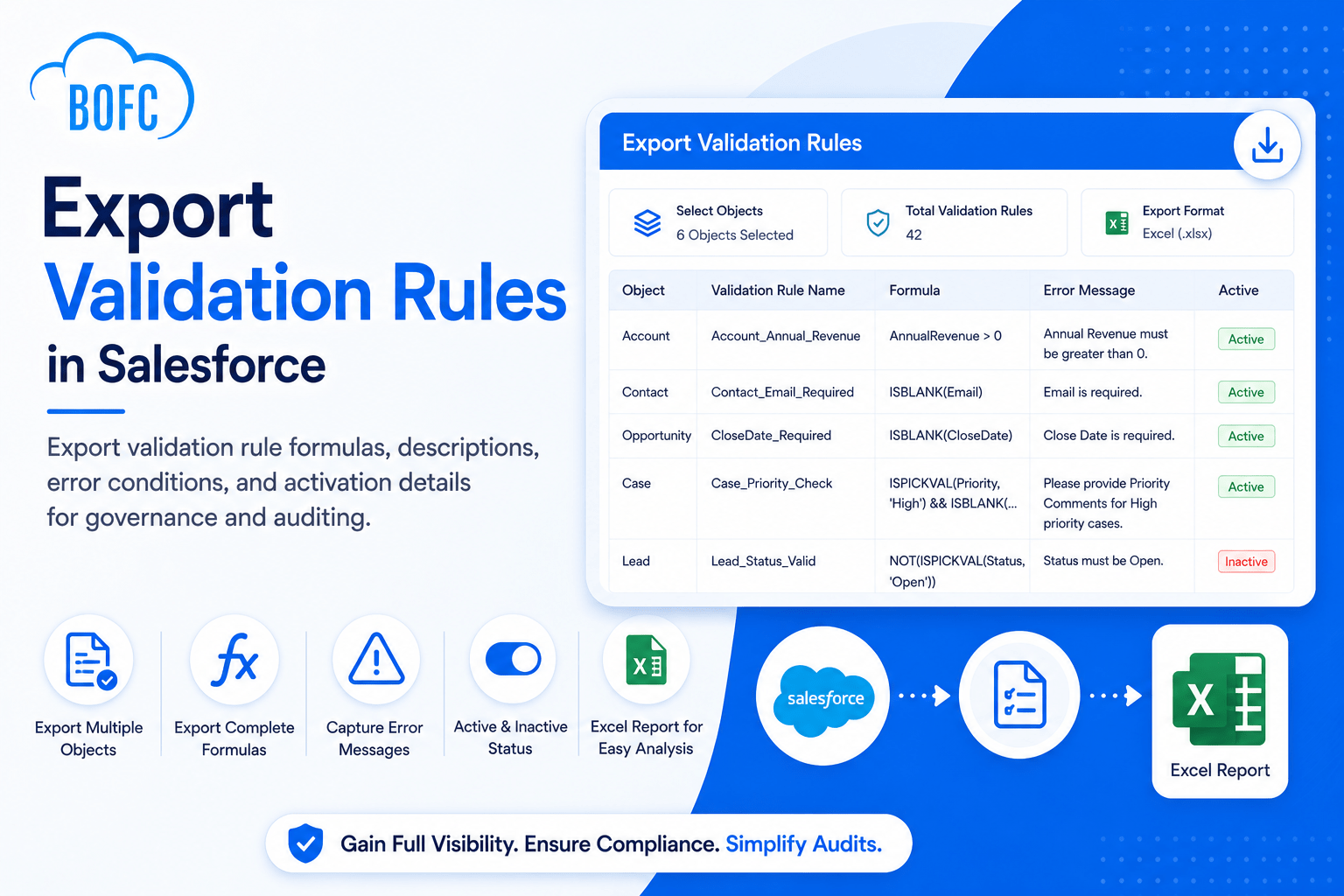
BOFC’s Export Validation Rules feature allows Salesforce administrators to export validation rule metadata across multiple objects into a structured Excel report.

Installs
Trusted by Salesforce admins, developers and consultants worldwide.
AppExchange Rating
Over 3,000 verified customer reviews from Salesforce Rangers and MVPs.
Countries Worldwide
Helping Salesforce teams work faster across the globe.
Faster Deliveries
Accelerate multi-sandbox rollouts and eliminate tedious manual configuration.
What BOFC's Validation Rule Export Delivers
Export Multiple Validation Rules at Once
Export validation rules from one or many Salesforce objects in a single operation instead of reviewing each object individually.
Capture Validation Rule Formulas
Export complete rule formulas to analyze business logic, troubleshoot issues, and document configurations.
Export Error Messages and Descriptions
Retrieve validation rule descriptions and user-facing error messages for compliance reviews and process documentation.
Review Rule Activation Status
Identify which validation rules are active or inactive across your Salesforce environment.
Simplify Governance and Auditing
Create comprehensive reports for internal audits, regulatory requirements, and change management activities.
Support Org Cleanup and Optimization
Analyze existing validation rules to identify duplicates, obsolete rules, or opportunities for consolidation.
How It Works
Step 1
Open BOFC Home and select Export Validation Rules.
Step 2
Choose one or more Salesforce objects whose validation rules you want to export.
Step 3
Click Fetch Validation Rules to retrieve all available rules for the selected objects.
Step 4
Select the validation rules you want to include in the export and click Export Details.
Step 5
Once processing is complete, download the Excel report containing formulas, descriptions, error conditions, and activation details.
Other Export Operations


What Salesforce Admins Say After Switching to BOFC
(Join 50,000+ installations — rated 4.8/5 by verified admins and architects)
Incredible time saver
We merged a couple of orgs, and this saved us a ton of time cleaning up fields which became surplus. We also leveraged the Bulk update FLS capabilities as a quick way to access and change.
Greet Set of Tools
BOFC really is a tremendous set of tools that can greatly accelerate build times, documentation, etc. It saved the day on a complicated Org Migration and has been a valuable tool on subsequent projects – allowing us to turn a data matrix into new fields with a few clicks, provide thorough object/field documentation in a user friendly format, and other benefits that have helped accelerate our efforts. Highly recommend for the price point the value here makes it a no brainer.
Does what it says on - the tin...
Create bulk object in Salesforce with Bulk Object Field Creator. This is a great time saver and it greatly simplifies the process of managing custom fields. It does exactly what the developers say it will.
I’ve only just started using it but it has been a great help already. As an administrator that also takes up the slack for low level development of our Org. Bulk Object Field Creator is really beneficial. Not having to navigate through endless screens removes confusion (reducing errors) as well as saving time.
I give it a big thumbs up. If I was a consultant this would be gold.