
Compare Visualforce Pages in Salesforce
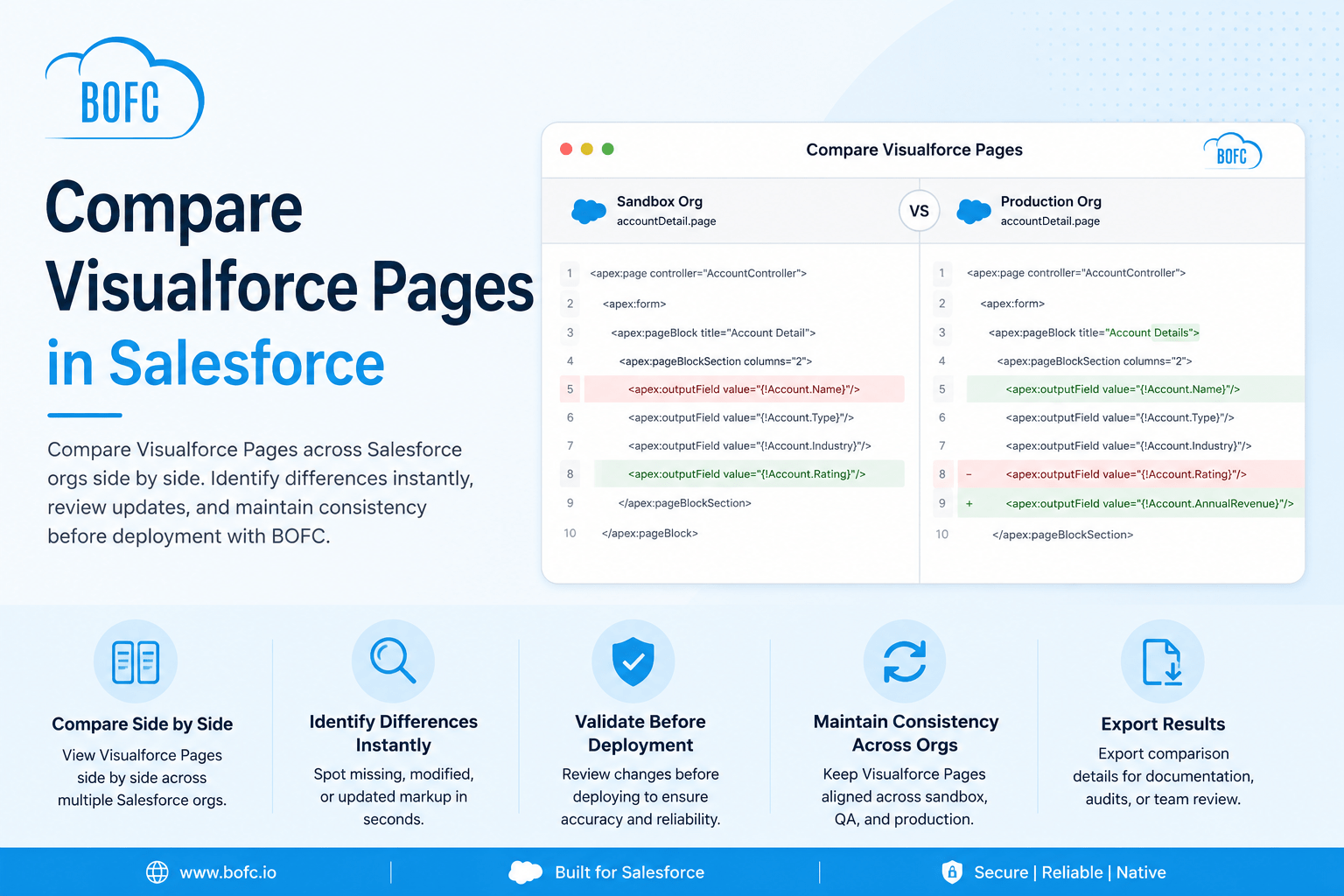
Managing Visualforce Pages across multiple Salesforce orgs can be difficult when changes happen frequently across sandbox, QA, and production. BOFC makes it easy to compare Visualforce Pages side by side so you can quickly identify differences, review updates, and maintain consistency—all directly inside Salesforce.

Installs
Trusted by Salesforce admins, developers and consultants worldwide.
AppExchange Rating
Over 3,000 verified customer reviews from Salesforce Rangers and MVPs.
Countries Worldwide
Helping Salesforce teams work faster across the globe.
Faster Deliveries
Accelerate multi-sandbox rollouts and eliminate tedious manual configuration.
Why Compare Visualforce Pages with BOFC?
Compare Visualforce Pages Across Multiple Salesforce Orgs
Select Visualforce Pages from different Salesforce orgs and compare them side by side in one view. Quickly review page markup and identify differences without switching between environments.
Review Page Markup Side by Side
Compare Visualforce page structure, Apex components, and markup line by line. BOFC helps you review updates clearly and track code changes faster.
Identify Differences Instantly
Quickly find missing content, updated markup, or version differences between Visualforce Pages. Reduce manual review time and spot issues early.
Validate Before Deployment
Review Visualforce Page updates before moving changes between sandbox, QA, or production. Catch discrepancies early and deploy with confidence.
Maintain Consistency Across Environments
Keep Visualforce Pages aligned across all Salesforce orgs. BOFC helps prevent mismatched versions and supports smoother release management.
Export Comparison Results
Export Visualforce comparison details for documentation, audit tracking, or team collaboration whenever needed.
How It Works
Step 1
Open BOFC Home and Click Compare Visualforce Pages
Step 2
Select the Source Org or Current Org
Step 3
Choose the Target Org
Step 4
Select One or Multiple Visualforce Pages
Step 5
Click Compare to Instantly Review Differences Side-by-Side


What Salesforce Admins Say After Switching to BOFC
(Join 50,000+ installations — rated 4.8/5 by verified admins and architects)
Incredible time saver
We merged a couple of orgs, and this saved us a ton of time cleaning up fields which became surplus. We also leveraged the Bulk update FLS capabilities as a quick way to access and change.
Greet Set of Tools
BOFC really is a tremendous set of tools that can greatly accelerate build times, documentation, etc. It saved the day on a complicated Org Migration and has been a valuable tool on subsequent projects – allowing us to turn a data matrix into new fields with a few clicks, provide thorough object/field documentation in a user friendly format, and other benefits that have helped accelerate our efforts. Highly recommend for the price point the value here makes it a no brainer.
Does what it says on - the tin...
Create bulk object in Salesforce with Bulk Object Field Creator. This is a great time saver and it greatly simplifies the process of managing custom fields. It does exactly what the developers say it will.
I’ve only just started using it but it has been a great help already. As an administrator that also takes up the slack for low level development of our Org. Bulk Object Field Creator is really beneficial. Not having to navigate through endless screens removes confusion (reducing errors) as well as saving time.
I give it a big thumbs up. If I was a consultant this would be gold.