How to Mass Convert Leads in Salesforce?
Published: Aug 02 2023
Last Updated: Oct 23 2026
Quick Answer:
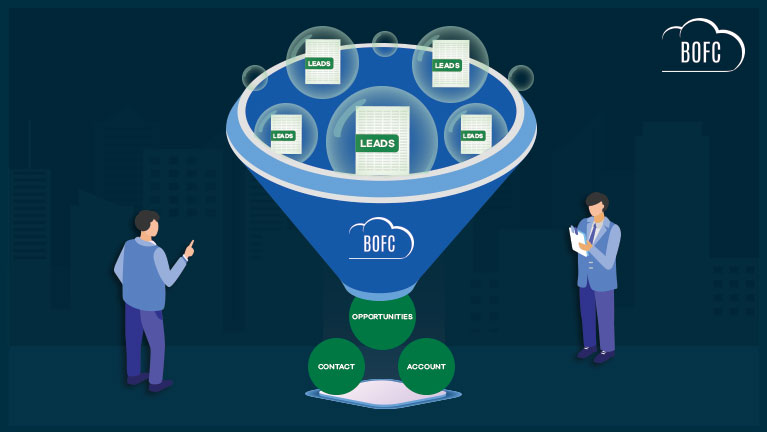
BOFC converts Salesforce leads in bulk from one screen. Select the leads, choose whether to create new Accounts, Contacts and Opportunities or attach to existing ones, set ownership for the batch, review the mappings, and click Convert Leads. Every lead is processed with the same settings.
Converting Leads one by one in Salesforce can become a repetitive and time-consuming task, especially for organizations handling large volumes of incoming Leads every day. Sales teams and Salesforce Admins often spend hours manually converting Leads into Accounts, Contacts, and Opportunities, which slows down operations and increases the chances of human errors.
If you are searching for how to mass convert Leads in Salesforce, it’s important to understand that Salesforce does not provide a simple native option to bulk convert Leads efficiently. As Lead data grows, manually processing conversions becomes difficult to manage at scale.
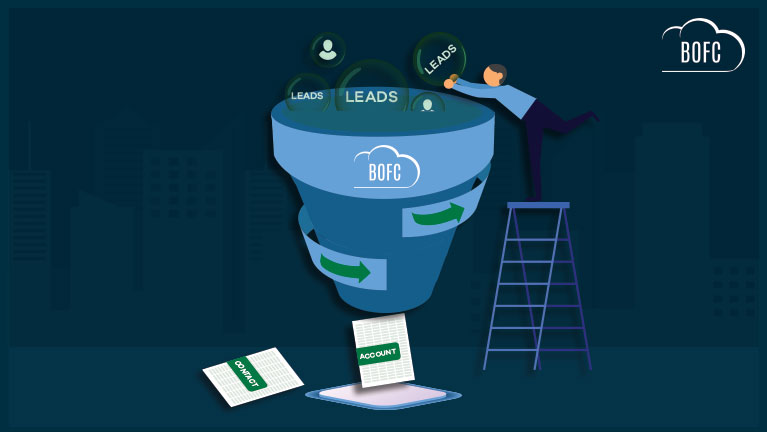
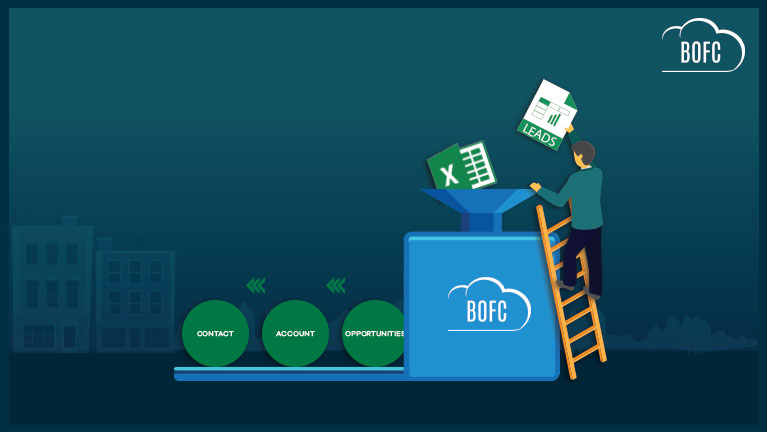
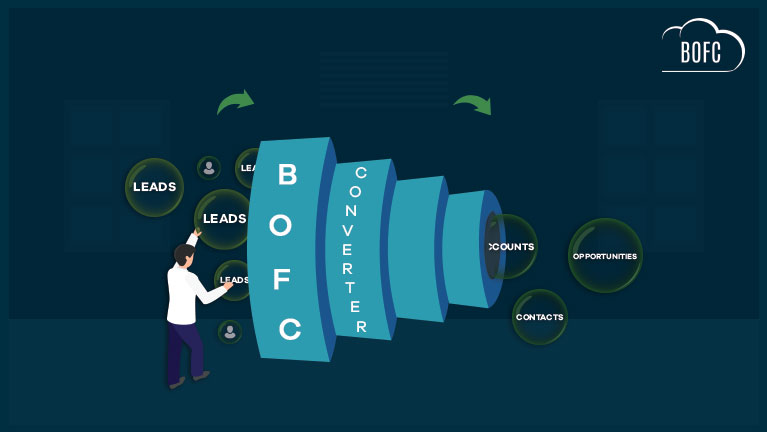
That’s where the BOFC (Bulk Object Field Creator) App simplifies the process. BOFC allows Salesforce Admins to perform Salesforce mass lead conversion in just a few clicks using a simple point-and-click interface. Instead of converting Leads individually, users can bulk convert multiple Leads simultaneously while reducing manual effort and improving operational efficiency.
What is Salesforce Mass Lead Conversion?
Salesforce mass lead conversion refers to converting multiple Lead records in bulk instead of processing each Lead individually. This process helps organizations handle high Lead volumes faster while improving productivity and Lead management efficiency.
Benefits of Salesforce mass lead conversion include:
- Faster Lead processing and reduced manual work
- Improved efficiency for Sales and Admin teams
- Reduced chances of missing or incomplete conversions
- Better management of Accounts, Contacts, and Opportunities
- Streamlined handling of large Lead databases
Common Challenges with Salesforce Mass Lead Conversion
Although bulk Lead conversion improves efficiency, organizations often face several challenges during the process:
Field Mapping Issues
Custom Lead fields must properly map with Account, Contact, and Opportunity fields during conversion. Incorrect mappings can result in incomplete or inconsistent data.
Duplicate Record Creation
Bulk Lead conversion may create duplicate Accounts or Contacts if duplicate management rules are not configured correctly.
Automation & Validation Rule Conflicts
Salesforce Flows, validation rules, Apex triggers, or Process Builder automation can interrupt Lead conversions and generate errors during bulk processing.
Lead Qualification Concerns
Converting unqualified Leads in bulk may impact CRM data quality and create unnecessary records for Sales teams.
Before implementing Salesforce mass lead conversion at scale, it is always recommended to test with a smaller batch first to identify mapping issues, automation conflicts, and duplicate handling scenarios.
To simplify the entire process, BOFC provides multiple flexible ways to select and bulk convert Leads in Salesforce through a simple point-and-click interface.
Let’s now walk through the complete step-by-step process to perform Salesforce mass lead conversion using the BOFC App.
To avail this feature, kindly make sure you have installed the latest version of the application. You can upgrade your package using either of two ways:
- In Salesforce, go to “BOFC Home > Settings > App Version > Click to Upgrade” — or —
- Refer the below button to quickly upgrade your package to the latest version and explore its complete benefits:
Guide to Mass Convert Leads in Salesforce:
Go to the BOFC App and select “Bulk Lead Conversion”
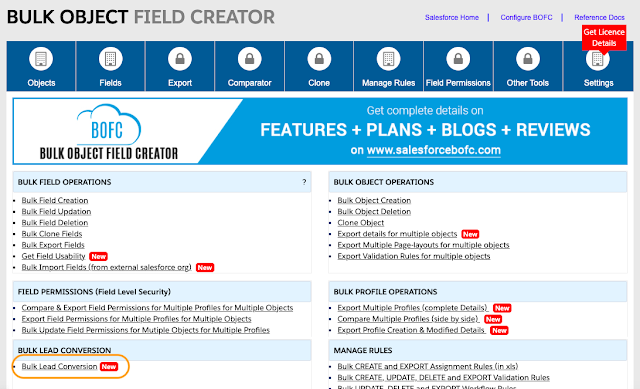
Step 2: Choose Your Lead Selection Method for Conversion
BOFC offers three flexible ways to select Leads for conversion:
-
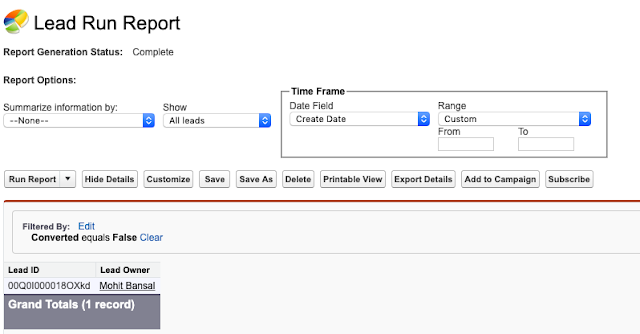
Use a Salesforce Standard Report

Create a report of Leads whereIsConverted = FALSE. Ensure the first column is “Lead ID”. Then, in BOFC you point to that report (either by ID or name) to pull the Leads to convert. -
Import Lead IDs via XLS/CSV File
Download BOFC’s template, fill in the Lead IDs you want to convert, upload the file and proceed. -
Show All Non-Converted Leads in a Grid
BOFC will display all Leads whose IsConverted = FALSEand you can filter/select directly from the list for conversion.
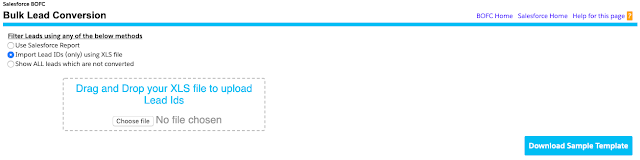 Download BOFC’s template, fill in the Lead IDs you want to convert, upload the file and proceed.
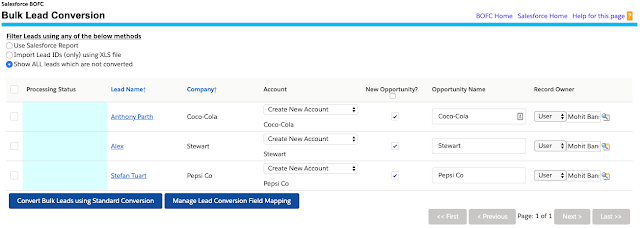 BOFC will display all Leads whose
 Each method gives admins flexibility depending on how many Leads and what criteria they’re converting.
Step 3: Run the Conversion

Once you’ve selected the Leads:
-
Map any custom fields from Lead to Contact/Account/Opportunity as needed
-
Configure options such as Owner assignment, Record Type, duplicate check bypass (if your org allows)
-
Click ‘Convert’ and BOFC handles the batch conversion.
In practice, you might convert 500+ Leads in just 10–15 minutes — something that would otherwise take days.
📚 Additional Resources for Salesforce Mass Lead Conversion
To help you explore each Lead conversion method in more detail, we’ve also created dedicated blog guides and video tutorials for every supported approach in BOFC.
Use Salesforce Standard Reports for Mass Lead Conversion
- Blog Guide: Bulk Lead Conversion using Salesforce Standard Reports
- Video Tutorial: Watch Video Tutorial
Import Leads using XLS or CSV File
- Blog Guide: Bulk Lead Conversion using XLS or CSV File
- Video Tutorial: Watch Video Tutorial
Convert All Non-Converted Leads Directly from Grid View
- Blog Guide: Bulk Lead Conversion on Non-Converted Leads
- Video Tutorial: Watch Video Tutorial
Conclusion
Managing Lead conversions manually in Salesforce can become time-consuming when working with large Lead volumes. Performing conversions one by one not only increases manual effort but also slows down Sales operations and administrative processes.
With BOFC, Salesforce Admins can simplify Salesforce mass lead conversion through a fast, scalable, and user-friendly approach. Whether you need to convert Leads using Reports, XLS files, or direct grid selection, BOFC helps streamline the entire conversion process in just a few clicks.
If your organization regularly handles high Lead volumes, BOFC provides an efficient way to convert multiple Leads into Accounts, Contacts, and Opportunities while reducing repetitive manual work and improving operational productivity.