Top 5 Salesforce Profile Comparison Tools in 2026
Published: Jul 27 2026
Last Updated: Sep 16 2026
Quick Verdict:
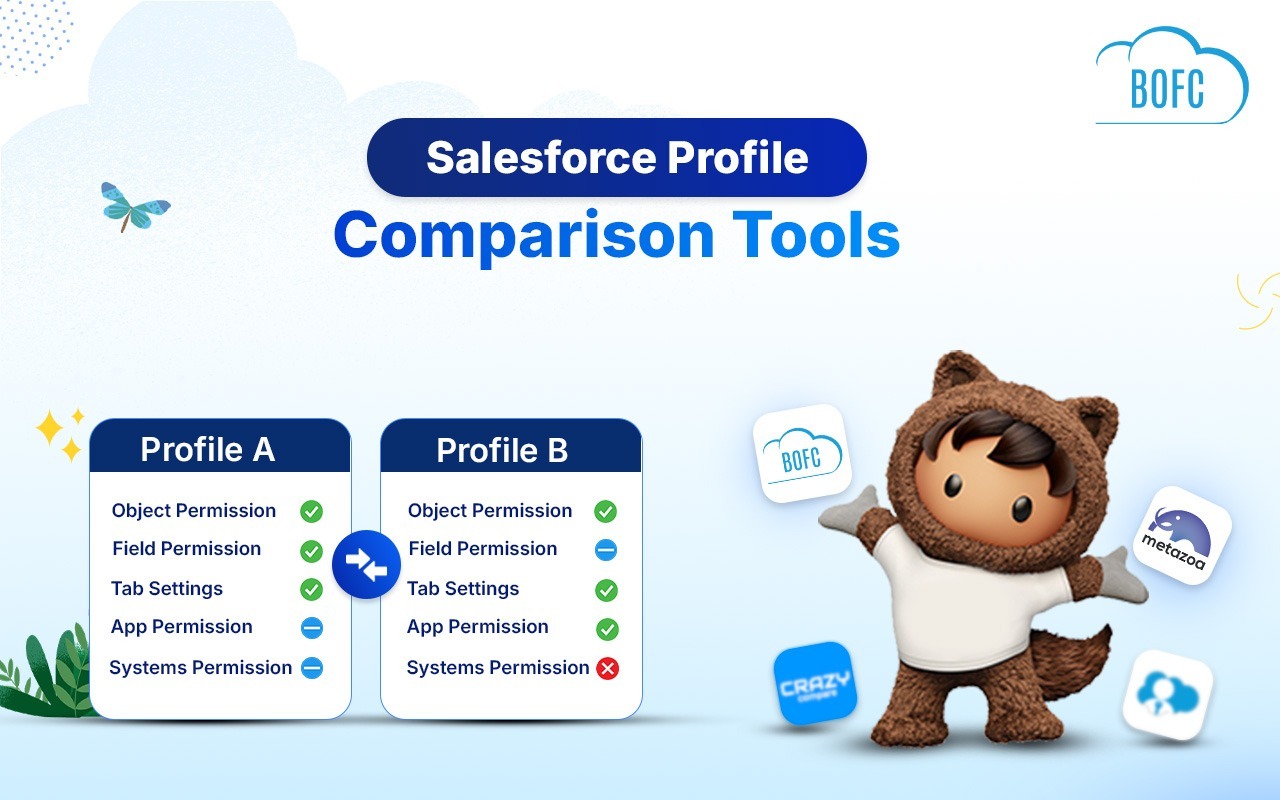
BOFC is the only tool here built for bulk, cross-org Salesforce profile comparison with exportable results, alongside a full metadata management suite. The other four handle it differently. Crazy Compare and Permission Comparator are free Chrome extensions, best for a quick, one-off check between two profiles in a single org. Salesforce’s native Who Sees What Explorer needs no install but isn’t built for bulk work. Metazoa Snapshot suits enterprise security audits needing the full permission picture.
Comparing two Salesforce profiles manually — clicking through Object Settings, Field-Level Security, Apex Class Access, and Visualforce Page Access one screen at a time — is one of the most tedious jobs an admin does. It’s also one of the most common: migration projects, permission audits, and security reviews all start with “what’s different between these two profiles?”
A handful of tools exist specifically to answer that question faster. Here’s how the five most commonly used ones stack up.
1. Crazy Compare for Salesforce
A free Chrome extension built by an individual developer, Crazy Compare loads directly into the Salesforce Setup page and lets you compare two profiles in three clicks. It covers field-level, object-level, Apex class, and Visualforce page access, and shows the difference in a table you can export as a PDF.
Strengths:
- Free and lightweight — no login or setup screen beyond the extension itself
- Fast for a quick, one-off comparison between two profiles
- Well liked in the community for saving time on simple checks
Limitations:
- Frequently reported issues loading in Lightning/new Setup URLs
- Misses system permissions and many standard fields
- Users report inconsistent or inaccurate results on some orgs
- Two profiles only, one org at a time — no CSV/Excel export, no multi-object comparison
Best for: a quick sanity check between two profiles in one org, when the stakes are low and you can eyeball the results.
2. Salesforce Permission Comparator (Chrome Extension)
Another browser-based tool, this one extends the comparison to permission sets as well as profiles, letting admins view user permissions, profiles, and permission sets side-by-side.
Strengths:
- Covers permission sets in addition to profiles
- Free, browser-based, no separate login
Limitations:
- Same browser-extension constraints as Crazy Compare — tied to Chrome, dependent on Salesforce’s UI not changing underneath it
- Not built for bulk or cross-org comparison
- No native export or reporting beyond the in-browser view
Best for: admins who want profile and permission set comparison in one lightweight extension, without installing anything into the org itself.
3. Salesforce Native: Who Sees What Explorer
Salesforce’s own Setup tools now include a Compare option inside the Who Sees What Explorer, letting admins compare object, field, and permission access between users, profiles, permission sets, and permission set groups natively — no extension or install required.
Strengths:
- Built into Salesforce, no third-party install or data-sharing concerns
- Covers users, profiles, permission sets, and permission set groups in one interface
Limitations:
- Native tools are useful for spot checks but slow for bulk work — comparing many profiles at once, or the same profiles across multiple orgs, isn’t the workflow it’s designed for
- No bulk export to a shareable format like Excel
Best for: admins who want a zero-install option for occasional, single-org comparisons and are comfortable working inside Setup.
4. Metazoa Snapshot
Metazoa Snapshot is an enterprise org-management platform, and profile/permission set comparison is one piece of a much larger toolset. It can combine a profile with its assigned permission sets to show the true, combined security a user actually has, then export the results as CSV, PDF, or HTML.
Strengths:
- Deep comparison — object permissions, Apex class access, field permissions, layout assignments, record types, tabs, user permissions, and custom permissions in one matrix
- Combined profile + permission set view shows real effective access, not just the profile in isolation
- Multiple export formats
Limitations:
- Built for enterprise deployment pipelines, not quick admin checks — heavier setup and learning curve
- Quoted/enterprise pricing, not a lightweight or free option
Best for: enterprise teams doing formal security audits or compliance reviews who need the full permission picture, not just a profile diff.
5. BOFC
BOFC handles profile comparison as one of its bulk operations, and it’s built around a different assumption than the tools above: that admins rarely need to compare just two profiles — they need to compare many profiles, often across multiple orgs, in one pass, and walk away with a file they can share.
What BOFC adds that the others don’t:
- Multiple profiles in a single click — not two at a time, exported into one XLS sheet
- Cross-org comparison — compare the same or different profiles between two or more Salesforce orgs, not just within one
- Full permission coverage — object access, app access, tab access, user and administrative permissions, record type details, Apex class access, Visualforce page access, and field permissions, all in one export
- Standard and custom profiles supported
- No Lightning/Setup-URL reliability issues — it runs as an installed AppExchange app, not a browser extension riding on Salesforce’s UI
And unlike every other tool on this list, profile comparison isn’t BOFC’s only job. The same app that compares profiles also handles bulk field and object creation, cloning metadata across objects and orgs, bulk export, and bulk delete — so the tool an admin opens for a profile audit is the same one they already use for the rest of their metadata work, rather than a single-purpose extension they only remember exists once a year.
Best for: admins and consultants who need profile comparison to be fast, exportable, and cross-org — and who’d rather run one tool for metadata work generally instead of stacking a different extension for every task.
Quick Comparison
| Tool | Multi-Profile at Once | Cross-Org Compare | Export Format | Beyond Profile Compare |
|---|---|---|---|---|
| Crazy Compare | ✗ (2 at a time) | ✗ | ✗ | |
| Permission Comparator (Extension) | ✗ | ✗ | View only | ✗ |
| Salesforce Native (Who Sees What) | ✗ | ✗ | View only | ✗ |
| Metazoa Snapshot | ✓ | ✓ | CSV / PDF / HTML | Partial (org management suite) |
| BOFC | ✓ | ✓ | XLS | ✓ (full metadata suite) |
Final Word
The free Chrome extensions are fine for a one-off, single-org check when you’re comparing two profiles and eyeballing the result. Salesforce’s native Who Sees What Explorer covers the same ground without an install. Metazoa Snapshot is the right call when a formal, enterprise-grade security audit is the goal.
But for the everyday reality most admins deal with — compare salesforce profiles across multiple orgs, and needing a clean file to hand off — BOFC is built for exactly that, and it’s the only tool here that does it alongside the rest of your metadata work instead of as a standalone extension.