Explore relationship between User, Profiles and Permission Sets in Salesforce
Published: Apr 28 2026
Last Updated: May 07 2026
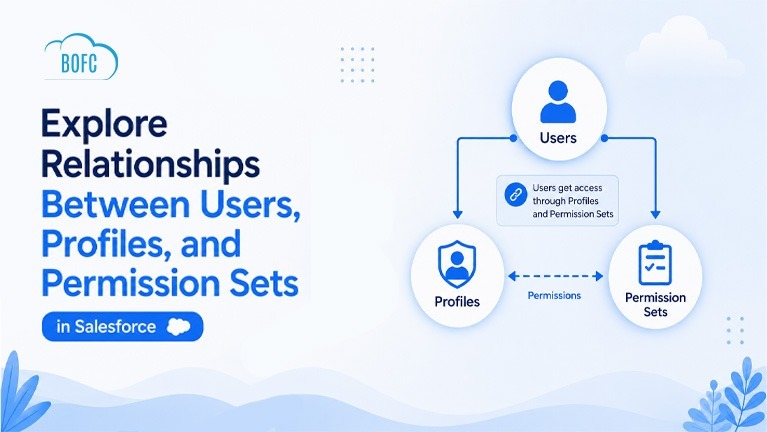
Managing user access in Salesforce can quickly become complex—especially in large orgs with multiple Profiles and Permission Sets.
Salesforce admins often need answers to questions like:
- Which users belong to a specific Profile?
- What Permission Sets are assigned to those users?
- Which users are assigned to a particular Permission Set?
- What Profile is assigned to each user?
- How can all this data be exported in a single report?
Unfortunately, Salesforce does not provide a simple way to view these relationships together in one place.
Admins usually need to:
- Open Profiles individually
- Check users one by one
- Review Permission Set assignments manually
- Export data from multiple locations
- Combine everything manually in spreadsheets
This process can be time-consuming and difficult to manage.
That’s where the BOFC (Bulk Object Field Creator) app helps simplify access analysis in Salesforce.
With BOFC, admins can explore and export relationships between Users, Profiles, and Permission Sets in just a few clicks.
Steps to Export User, Profile, and Permission Set Relationships
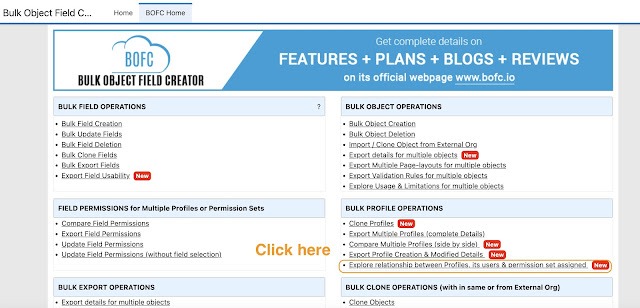
Step 1: Open the BOFC Home > Click “Explore relationship between Profiles, User, Permission Sets“
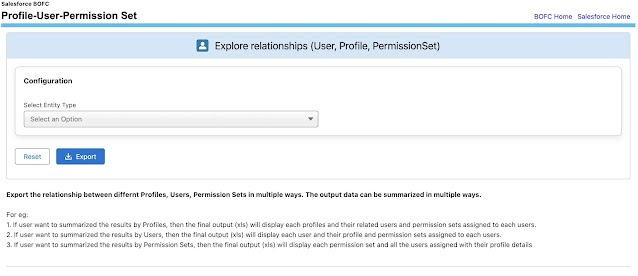
Step 2: It will open the below screen
Step 3: Select the entity type
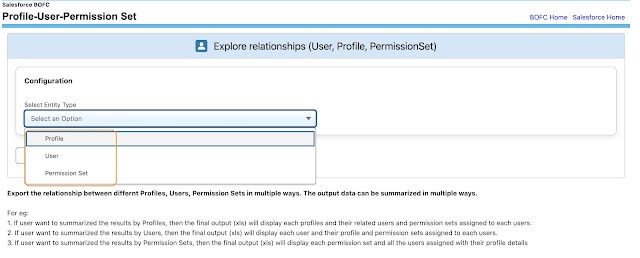
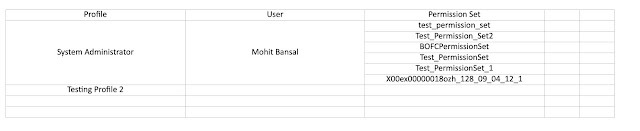
- If user want to summarized the results by Profiles, then the final output (xls) will display each profiles and their related users and permission sets assigned to each users.
- If user want to summarized the results by Users, then the final output (xls) will display each user and their profile and permission sets assigned to each users.
- If user want to summarized the results by Permission Sets, then the final output (xls) will display each permission set and all the users assigned with their profile details
Step 4: Once the entity type is selected, click on “Export” button to export the results with respect to selected entity:
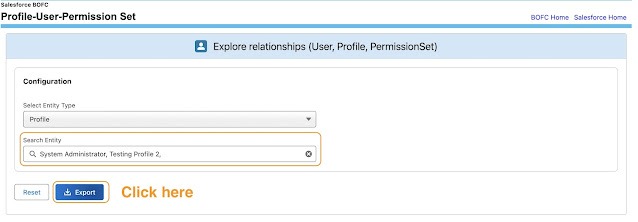
and here is the final result in xls format, which shows the selected profiles, their related users and permission sets.
Benefits of Using BOFC
- Export user access relationships quickly
- Simplify security audits
- Save hours of manual work
- Improve visibility into user permissions
- Generate clean XLSX reports instantly
- Analyze Profiles and Permission Sets efficiently
Final Thoughts
Analyzing relationships between Users, Profiles, and Permission Sets manually in Salesforce can be difficult and time-consuming.
With BOFC (Bulk Object Field Creator) admins can generate complete relationship reports in just a few clicks and simplify Salesforce access management significantly.