How to remove multiple fields from custom Report Types in Salesforce?
Published: May 07 2026
Last Updated: Sep 16 2026
Quick Answer:
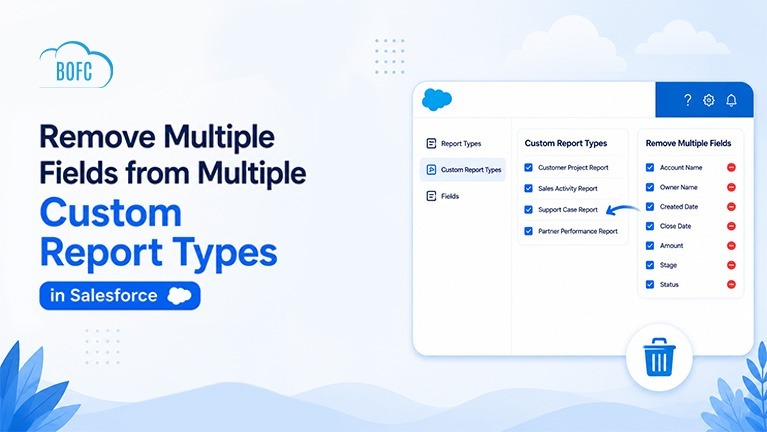
To remove multiple fields from multiple Custom Report Types in Salesforce, use BOFC (Bulk Object Field Creator). Select the object and fields, and BOFC removes them across all related Report Types at once instead of editing each one manually.
Custom Report Types tend to accumulate fields over time, especially as an org evolves and old fields stop being relevant to reporting. Cleaning that up manually is where the real time cost shows up.
Salesforce doesn’t provide a native way to bulk remove fields from Report Types. So admins are stuck opening each Report Type individually, searching for the field that needs to go, removing it, and repeating that same sequence across every other Report Type that also has it. On a large org with dozens of Report Types built on the same object, that adds up fast, and it’s easy to miss one or two along the way.
With BOFC, that entire cleanup becomes a few clicks instead of a few dozen repetitions. Pick the object, select the fields to remove, and BOFC applies the change across every related Custom Report Type at once, no need to track which ones you’ve already handled.
Here’s what that looks like in practice:
Benefits of Using BOFC
- Remove fields from multiple Report Types at once
- Reduce manual work
- Save admin time
- Support both Standard and Custom Objects
- Manage Report Types with a simple point-and-click UI
Here’s how to remove multiple fields from your Custom Report Types using BOFC.
Steps to Remove Multiple Fields from Report Types
Step 1: Open the BOFC Home > Click “Add / Remove Report Types”
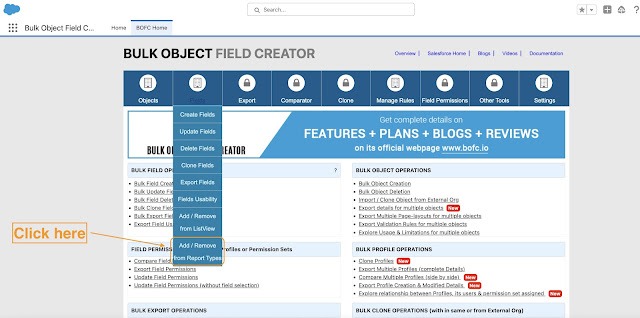
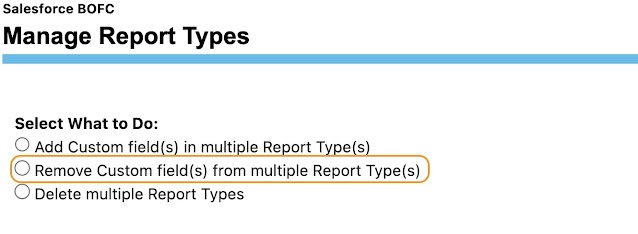
Step 2: It will open below screen to manage report types. Select the type of action as “Remove” option as highlighted in radio button.
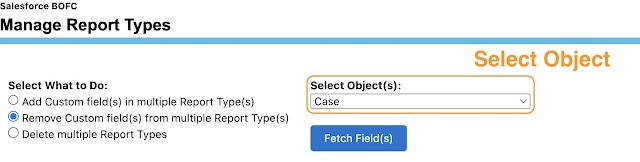
Step 3: Select the Object from the dropdown and click “Fetch Field(s)” button to fetch all the existing fields of selected object. It will also fetch the list of the custom reports types related to selected object.
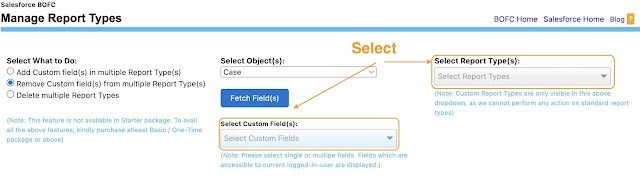
Step 4: Select the single or multiple fields which needs to be added to selected custom report types.
Step 5: Once the “Remove Fields to Report Type” buttons is clicked, it will update the status against each selected Report Types
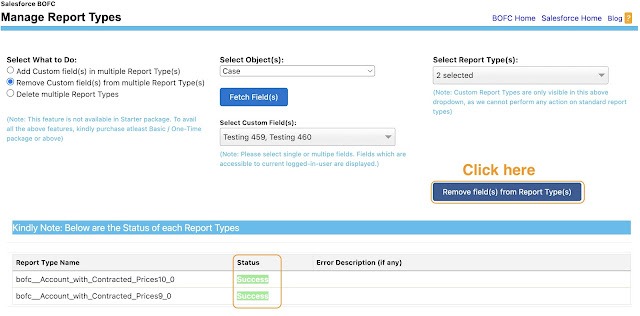
Status Indicators
🟢 Green → Updated Successfully
🔴 Red → Error occurred during update
Final Thoughts
Report Type field cleanup is one of those admin tasks that’s easy to postpone precisely because it’s so repetitive. Left alone, unused fields just keep piling up across every Report Type built on that object.
BOFC turns that cleanup from a multi-hour, Report-Type-by-Report-Type slog into a single bulk action, so keeping your reporting metadata lean stops being something admins have to find time for.