Guide to Clone Lightning Email Templates in Salesforce Using BOFC
Published: May 04 2026
Last Updated: May 05 2026
Cloning email templates in Salesforce Lightning can be time-consuming—especially when you need to duplicate multiple templates at once.
Salesforce does not provide a built-in way to perform bulk actions like cloning, which means admins often end up repeating the same steps again and again.
Why Cloning Templates in Salesforce is Challenging
Before we begin, let’s quickly understand the limitations.
In Salesforce Lightning:
- You cannot clone multiple email templates at once
- There is no bulk action for templates
- Each template must be handled manually
This becomes inefficient when working with large sets of templates.
Step-by-Step Guide to Clone Lightning Email Templates
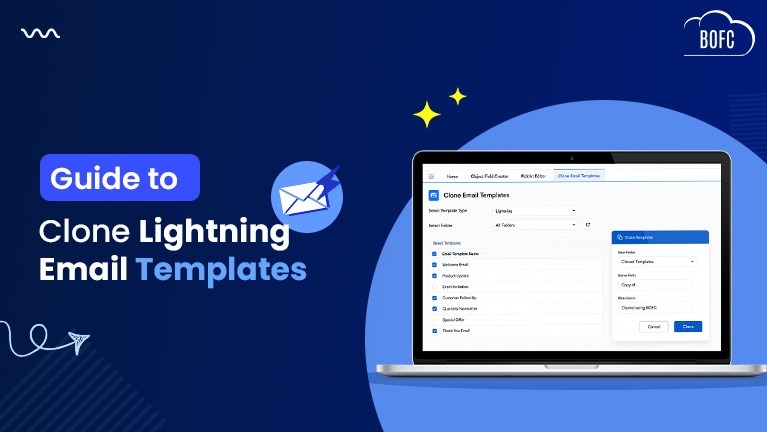
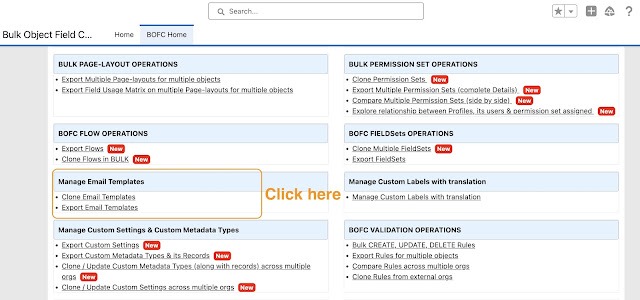
Step 1: Open the BOFC Home > Click “Clone Email Templates”
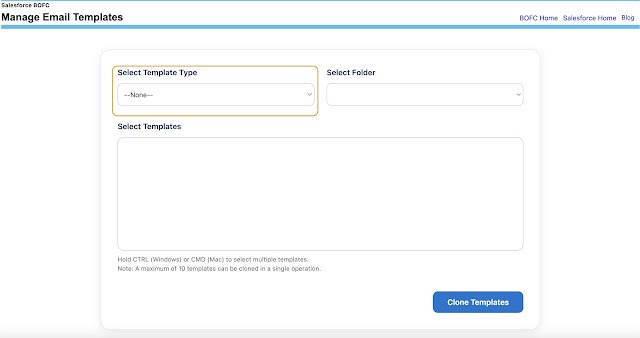
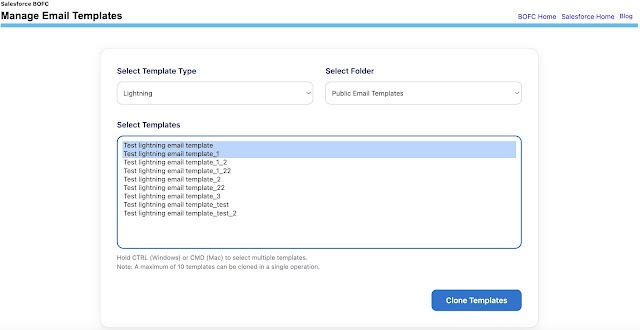
Step 2 : It will open below screen to Clone Email Templates and select type as “Lightning”
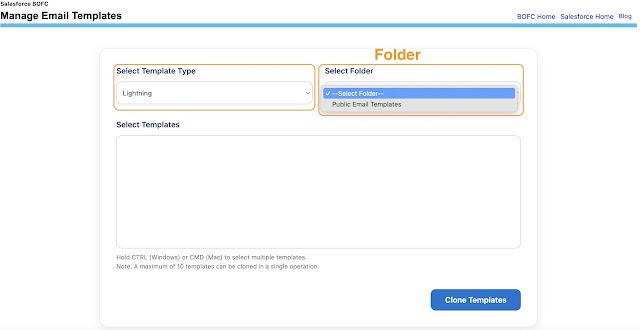
Step 3: Once the “Lightning” template type is selected, it will load all folders with lightning email templates.
Step 4 : Select the name of the folder and it will automatically load all the email templates as highlighted.
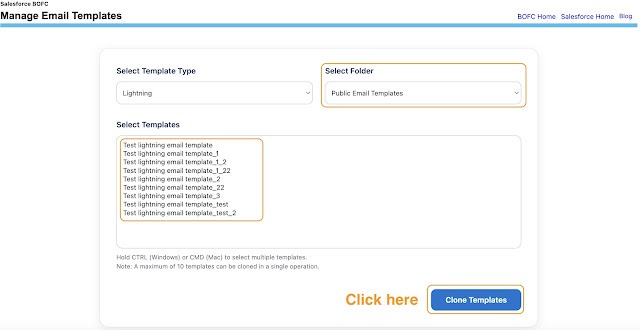
Step 5 : Select single or multiple templates (by pressing CTRL). Once ready, click on “Clone Templates” button to initiate the process.
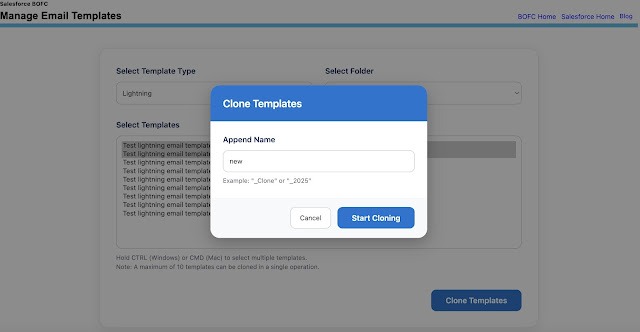
Step 6 : Once the “Clone Templates” button is clicked, it will open a popup with some fields to fill. Once the information is filled
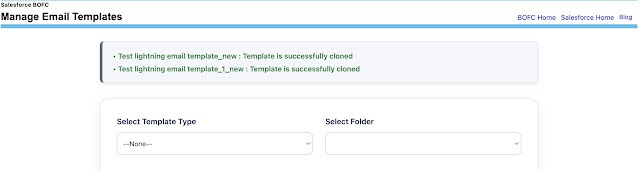
Final Result: Your Lightning email templates will be successfully cloned—without needing to recreate them manually
Key Benefits of This Approach
Using BOFC for cloning templates helps you:
- Save time on repetitive tasks
- Clone multiple templates in one go
- Maintain consistency across templates
- Reduce manual errors
Pro Tip: If you manage templates across different Salesforce environments, cloning in bulk can significantly speed up deployment and standardization.
Related Feature
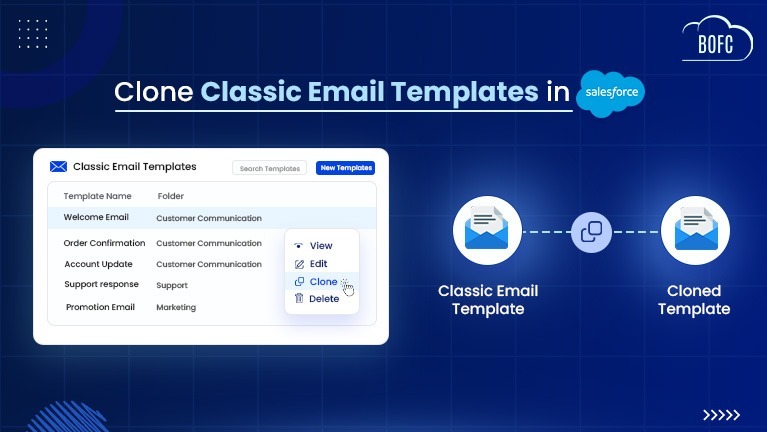
BOFC also supports Cloning Classic email templates, making it easier to manage templates across both Salesforce interfaces.
👉 https://bofc.io/how-to-clone-classic-email-templates-in-salesforce-step-by-step-guide/
Conclusion
Cloning Lightning email templates doesn’t have to be a manual, repetitive process.
With BOFC, you can simplify the workflow and complete bulk cloning in just a few clicks—making your Salesforce admin tasks faster and more efficient.