
Export Picklist Values in Salesforce
Managing picklist values across multiple Salesforce objects can quickly become challenging, especially when you need to document values, perform audits, validate configurations, or prepare for migrations. Salesforce does not provide a simple way to export picklist values in bulk, forcing admins to review fields individually.
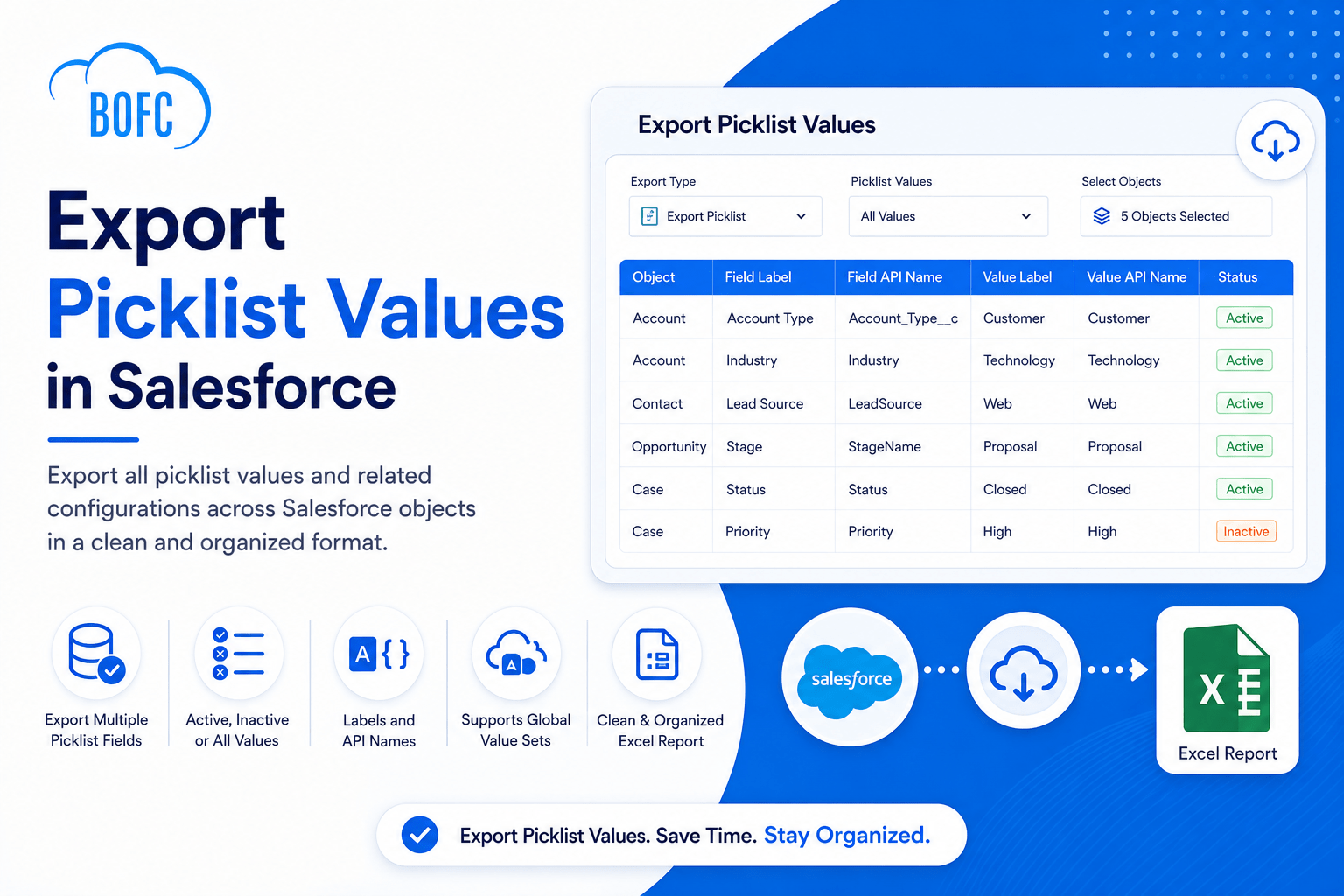
BOFC’s Export Picklist Values feature allows Salesforce administrators to export picklist and multi-select picklist values across multiple objects in a clean, structured Excel report. Export active, inactive, or all values along with their labels and API names in just a few clicks.

Installs
Trusted by Salesforce admins, developers and consultants worldwide.
AppExchange Rating
Over 3,000 verified customer reviews from Salesforce Rangers and MVPs.
Countries Worldwide
Helping Salesforce teams work faster across the globe.
Faster Deliveries
Accelerate multi-sandbox rollouts and eliminate tedious manual configuration.
What BOFC's Picklist Export Feature Delivers
Export Multiple Picklist Fields at Once
Export values from multiple picklist and multi-select picklist fields across standard, custom, and managed package objects.
Export Active and Inactive Values
Choose whether to export active values, inactive values, or both based on your reporting requirements.
Capture Labels and API Names
Generate reports containing both user-facing labels and Salesforce API values for easier administration and integration planning.
Support Global Value Sets
Export Global Picklist Value Sets without opening each value set individually.
Simplify Audits and Documentation
Create organized reports that help teams review metadata configurations and maintain accurate documentation.
Improve Metadata Visibility
Gain a complete view of picklist configurations across your Salesforce environment from a single export.
How It Works
Step 1
Open BOFC Home and click Export Picklist Values for Multiple Fields.
Step 2
Select Export Picklist, choose whether to export Active, Inactive, or All values, and select the Salesforce objects to analyze.
Step 3
Click Fetch All Picklist Fields and choose the picklist or multi-select picklist fields you want to export.
Step 4
Click Export Details to initiate the export process.
Step 5
Once the status changes to Completed, click Download to export the Excel file containing all selected picklist values and configurations.


What Salesforce Admins Say After Switching to BOFC
(Join 50,000+ installations — rated 4.8/5 by verified admins and architects)
Incredible time saver
We merged a couple of orgs, and this saved us a ton of time cleaning up fields which became surplus. We also leveraged the Bulk update FLS capabilities as a quick way to access and change.
Greet Set of Tools
BOFC really is a tremendous set of tools that can greatly accelerate build times, documentation, etc. It saved the day on a complicated Org Migration and has been a valuable tool on subsequent projects – allowing us to turn a data matrix into new fields with a few clicks, provide thorough object/field documentation in a user friendly format, and other benefits that have helped accelerate our efforts. Highly recommend for the price point the value here makes it a no brainer.
Does what it says on - the tin...
Create bulk object in Salesforce with Bulk Object Field Creator. This is a great time saver and it greatly simplifies the process of managing custom fields. It does exactly what the developers say it will.
I’ve only just started using it but it has been a great help already. As an administrator that also takes up the slack for low level development of our Org. Bulk Object Field Creator is really beneficial. Not having to navigate through endless screens removes confusion (reducing errors) as well as saving time.
I give it a big thumbs up. If I was a consultant this would be gold.